

UPI Autopay is a recurring payment feature launched by NPCI on 22 July 2020 that lets you automate bill payments, subscriptions, EMIs, and investments through any UPI app.
You authorise a mandate once using your UPI PIN, and payments are debited automatically on schedule.
It supports amounts up to Rs 15,000 for standard payments and up to Rs 1,00,000 for select categories like insurance, mutual funds, and credit card bills.
How Does UPI AutoPay Work?
UPI AutoPay operates through a simple mandate system. A mandate is a pre-approved instruction you give your bank, allowing a specific merchant to debit a fixed amount at regular intervals.
Here is how the process works in practice.
When you subscribe to a service or set up a recurring payment, the merchant sends a mandate request to your UPI app. The request includes the amount, frequency, start date, and validity period.
You review these details and approve the mandate by entering your UPI PIN once. This one-time authentication registers the instruction with your bank.
After approval, your bank automatically debits the specified amount on each scheduled date. No further action is required from you unless you wish to modify or cancel the mandate.
For transactions up to Rs 15,000, no additional authentication is needed after the initial approval. This means your Netflix subscription or mobile recharge happens silently in the background.
For higher amounts, the RBI raised the limit to Rs 1,00,000 in December 2023 for categories like mutual fund SIPs, insurance premiums, and credit card bill payments.
Transactions within this enhanced limit are processed using a digital signature alone, without requiring your UPI PIN each time.
Any single transaction exceeding Rs 1,00,000, however, will always require UPI PIN authentication for that specific debit.
Your UPI app also sends you a notification at least 24 hours before each scheduled debit. This pre-debit alert gives you time to ensure a sufficient balance or cancel an unwanted payment before it goes through.
Where Can You Use UPI AutoPay?
The feature covers a broad range of recurring expenses across daily life and financial planning.
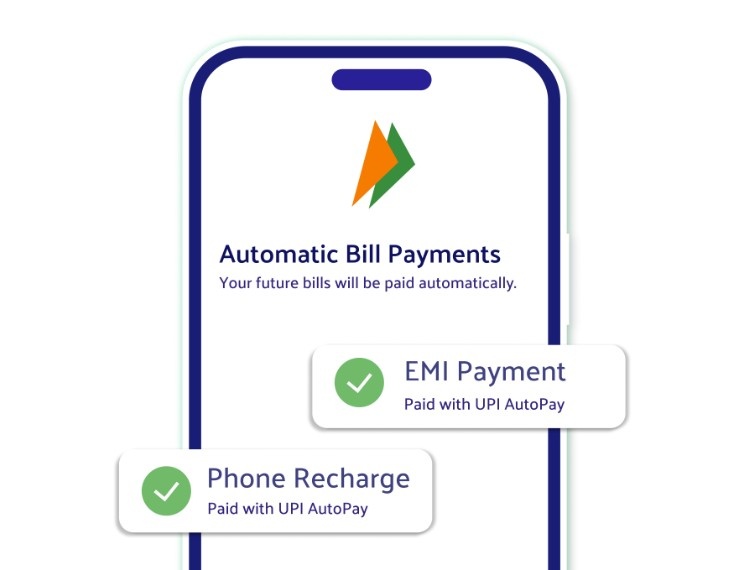
Here are the most common use cases.
- Subscriptions and entertainment. OTT platforms like Netflix, Disney+ Hotstar, JioSaavn, and Gaana support UPI AutoPay for monthly renewals. You set it up once and never worry about service interruptions from missed payments.
- Utility bills. Electricity, water, mobile recharges, broadband, and DTH payments can all be automated. This is particularly useful because utility bills have strict due dates and late fees.
- Loan EMIs. Whether it is a personal loan, home loan, or consumer durable EMI, AutoPay ensures every instalment is deducted on time. Timely EMI payments directly protect your credit score and help avoid penalty charges.
- Mutual fund SIPs. Systematic investment plans require consistent monthly investments. With UPI AutoPay, your SIP amount is debited automatically on the chosen date, keeping your investment discipline intact without manual effort.
- Insurance premiums. Monthly, quarterly, or annual insurance premiums can be set on autopay. Missing an insurance payment can cause your policy to lapse, which makes automation especially important for this category.
- Credit card bill payments. If you prefer paying your credit card dues through your bank account, AutoPay handles it automatically. Understanding the advantages of credit cards also means understanding why timely payments matter for maintaining a healthy credit profile.
- Transit and commuting. Metro passes and transit subscriptions in select cities are available through UPI AutoPay, eliminating the need for queues or last-minute top-ups.
UPI AutoPay Transaction Limits
Understanding the applicable limits helps you plan which payments to automate. The limits differ based on the type of merchant and the category of payment.
| Category | Per-Transaction Limit | UPI PIN Required? |
|---|---|---|
| Standard payments | ₹15,000 | Only during initial setup |
| Mutual fund SIPs | ₹1,00,000 | Only above ₹1,00,000 |
| Insurance premiums (MCC 6300, 6381, 6399) | ₹1,00,000 | Only above ₹1,00,000 |
| Credit card bill payments (MCC 5413) | ₹1,00,000 | Only above ₹1,00,000 |
| Loan repayments (MCC 6012) | ₹1,00,000 | Only above ₹1,00,000 |
The enhanced Rs 1,00,000 limit was introduced through NPCI Circular UPI/OC-151A dated 14 December 2023.
This matters because high-value recurring payments like annual insurance premiums or large SIP amounts were previously capped at Rs 15,000. That cap forced manual intervention each month.
Key Features and Benefits of UPI AutoPay
Several features make UPI AutoPay a practical choice for managing recurring finances.
- One-time authentication. You enter your UPI PIN only once during mandate setup. All subsequent payments within the approved limit are processed automatically based on a digital signature verified by your bank.
- Flexible scheduling. Mandates can be set for daily, weekly, monthly, quarterly, half-yearly, or yearly frequencies. You can also choose a specific debit date that aligns with your salary credit or cash flow cycle.
- Full user control. Every active mandate is visible inside your UPI app under the “AutoPay” or “Mandates” section. You can pause, modify, or revoke any mandate at any time without visiting a bank branch or calling customer support.
- Pre-debit notifications. Your bank or UPI app sends a reminder at least 24 hours before each upcoming debit. This transparency lets you review and cancel any payment you no longer want.
- No card details stored. Unlike card-based auto-debits, UPI AutoPay does not store sensitive card or account details. Transactions are processed directly between your bank and the merchant over UPI’s secure infrastructure.
- Zero cost for users. There are no charges for UPI bank-to-bank transactions imposed on customers. Your recurring payments go through at zero cost, unlike some card-based standing instructions that may carry processing fees.
For those comparing payment methods, understanding the difference between credit cards and debit cards can also help you decide which account to link for autopay mandates.
How to Set Up UPI AutoPay Mandates
The setup process is nearly identical across major UPI apps.
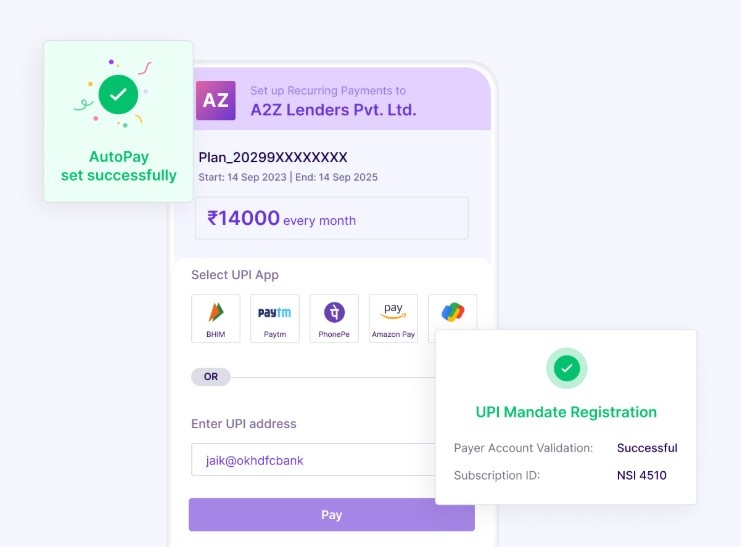
Here is a general walkthrough.
Step 1: Open your UPI app (Google Pay, PhonePe, Paytm, BHIM, or any bank app). Navigate to the “AutoPay” or “Mandates” section.
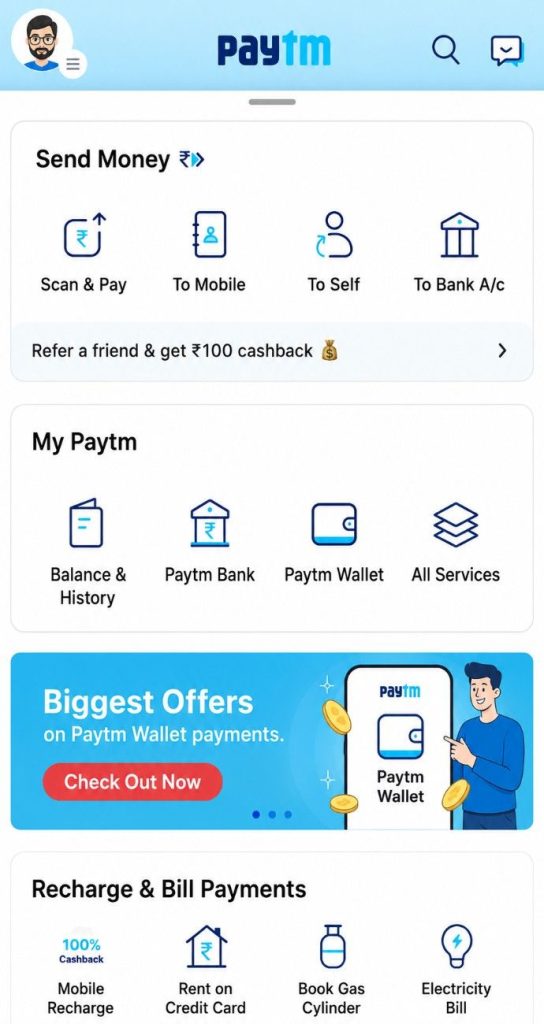
Step 2: Select the merchant or service for which you want to set up recurring payments. This option also appears on merchant payment pages when you subscribe to a service.
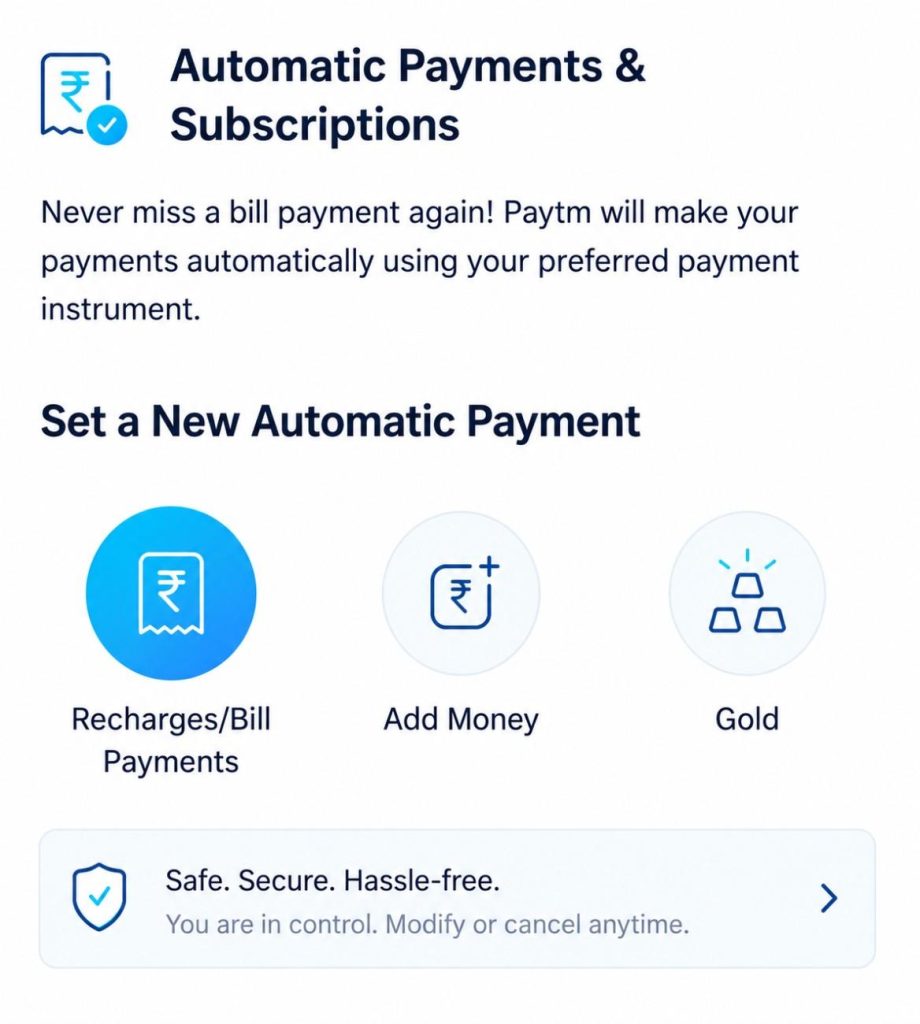
Step 3: Enter the mandate details, the amount, frequency (monthly, weekly, etc.), start date, and validity period. Review the merchant name, debit schedule, and maximum amount carefully.
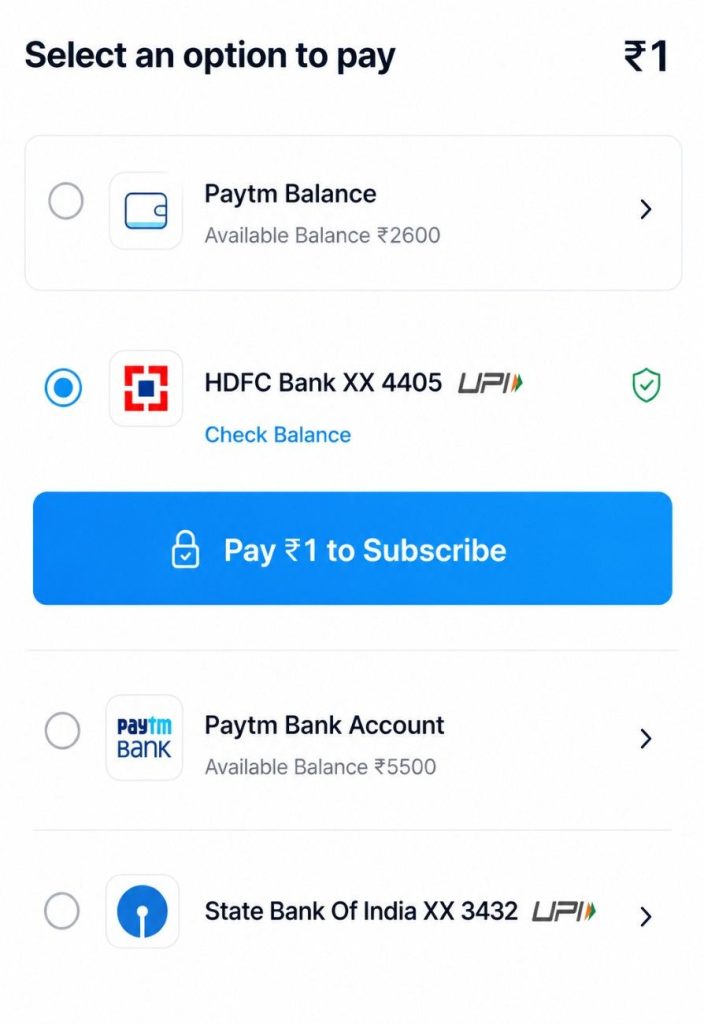
Step 4: Confirm the mandate by entering your UPI PIN once. This serves as your digital consent for all future debits under that mandate.
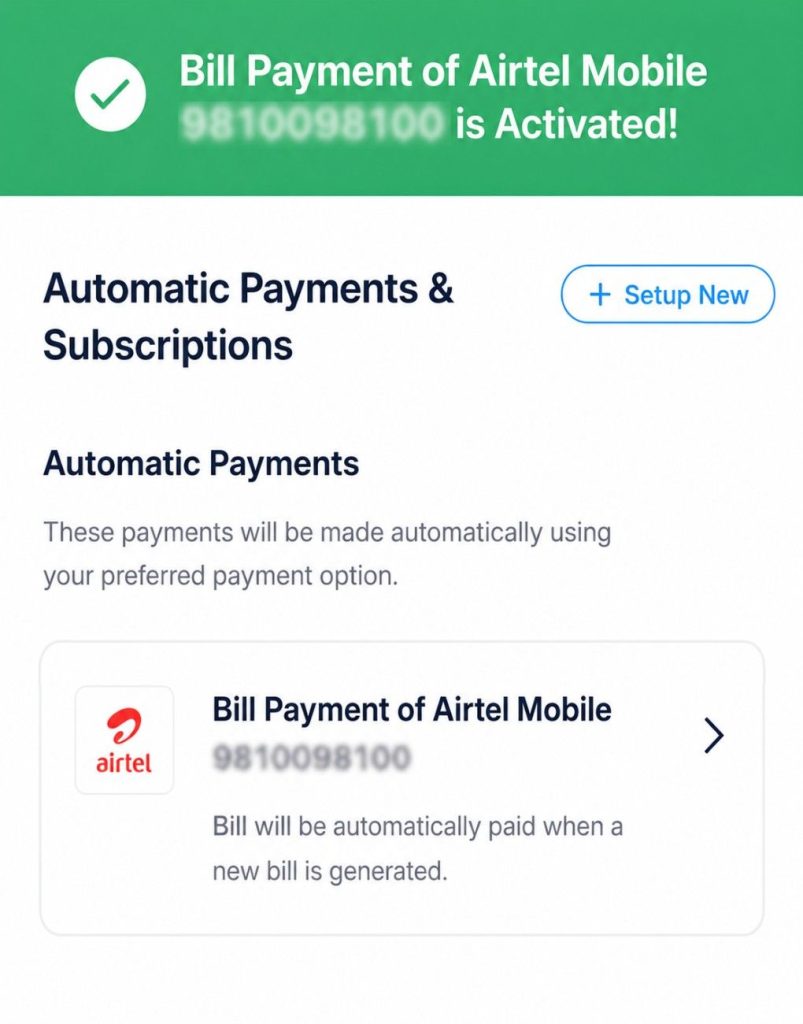
After approval, your app shows the active mandate with its next debit date.
What Happens If a UPI AutoPay Transaction Fails?
A failed autopay transaction does not result in penalties from your bank or from NPCI. The most common reason for failure is insufficient balance in your linked account.
When a debit fails, your bank or UPI app sends you a notification to retry manually. The merchant may also send a reminder.

However, the consequences depend on the type of payment. A missed SIP instalment skips that month’s investment, and a failed EMI payment may attract late fees from your lender.
A failed OTT subscription simply pauses your access until the next successful debit.
Retry Rules (August 2025 Update)
From August 2025, NPCI introduced stricter retry rules for autopay mandates. Each mandate is now allowed a maximum of four attempts: one original execution plus three retries. After that, the payment is marked as failed for that cycle.
Additionally, all autopay executions must now take place during non-peak hours only. This change is designed to reduce server congestion and improve transaction success rates during high-traffic periods.
These rules work in the background and do not require any action from you. They are meant to make your autopay transactions more reliable by reducing system-level failures.
Keeping your account balance in check before scheduled debits remains the simplest way to avoid failed transactions.
Is UPI AutoPay Safe? Common Concerns Explained
Security is one of the most frequent concerns users raise about automated payments.

Here is how UPI AutoPay addresses those concerns.
- Two-factor authentication at setup. Every mandate requires your explicit consent and two-factor authentication through your UPI PIN and access to your registered mobile device. No one can set up a mandate on your account without both.
- No sensitive data storage. UPI AutoPay runs on UPI’s direct bank-to-bank rails. Unlike card-based auto-debits, no card numbers, CVVs, or account details are stored by any merchant or third-party app.
- Mandatory notifications. Banks are required to send SMS notifications before and after each debit. UPI apps must send push notifications. This dual-notification system ensures you always know when money leaves your account.
- UPI PIN required for mandate changes. Any action on a mandate, including modification, porting, or cancellation, requires UPI PIN authentication. Even if someone gains access to your phone, they cannot alter your mandates without your PIN.
- NPCI oversight. NPCI manages the entire system under the RBI’s regulatory framework. Standardised security protocols apply uniformly across all banks and UPI apps, making the system as secure as a regular UPI transaction.
- Protection against dark patterns. The new NPCI portal and revised autopay framework specifically target situations where users are unknowingly signed up for recurring mandates. The portal gives you a single view of every active mandate, so nothing stays hidden.
To further safeguard your account, review your active mandates periodically. Cancel any mandate you no longer recognise or need.
If you suspect unauthorised activity, report it to your bank and also through the NPCI dispute resolution system available on the UPI Help portal.
Conclusion: UPI AutoPay automates recurring payments with one-time PIN approval
UPI AutoPay removes the effort and risk of manually tracking every recurring bill, EMI, and subscription.
With NPCI’s enhanced limits, mandate portability, the new central management portal, and strict pre-debit notification rules, the feature now offers both convenience and transparency.
For any Indian user juggling multiple recurring payments, setting up autopay mandates is one of the simplest steps toward better financial discipline, reduced late fees, and zero missed deadlines.
FAQs
Yes. While UPI AutoPay is designed for recurring payments, some merchants and apps allow you to create a single-execution mandate for a scheduled future payment. The mandate executes once on the specified date and then expires automatically.
If you change your mobile number, your existing UPI ID linked to the old number may become inactive. You will need to re-register your new number with your UPI app and set up new mandates.
UPI AutoPay mandates are currently linked to bank accounts, not credit cards. While RuPay credit cards can be linked to UPI for regular transactions, autopay mandate support for credit-on-UPI is still being expanded by NPCI.
No. The mandate specifies a maximum debit amount approved by you. A merchant cannot exceed that amount. If the actual charge exceeds the approved mandate limit, the transaction will fail. Any change in the mandate amount requires your fresh UPI PIN authentication.