

Most people use LazyPay to buy things and pay later. But the app has moved past that. Today, LazyPay works as a credit-on-UPI service.
This means you can use your LazyPay credit limit to pay at any UPI shop or app, not just food delivery platforms. You scan a QR code, and the money comes from your credit line, not your bank account.
This article covers your UPI ID format, how to activate it, how to log in, how to use it every day, and what to do when scan and pay stops working.
LazyPay UPI At A Glance
Before getting into the details, here is a quick look at what LazyPay UPI is, how it works, and what you need to use it.
| Feature | Details |
|---|---|
| What It Is | A UPI-based credit payment service |
| UPI ID Format | 9876543210@lazypay or username@payu |
| Linked To | Your LazyPay credit limit, not your bank |
| Payment Type | P2M (Person to Merchant) only |
| KYC Required | Yes — Aadhaar and PAN both needed |
| Interest-Free Period | Up to 15 days |
| P2P Transfers | Not supported |
| Owned By | PayU Finance India (NBFC, RBI registered) |
| App Availability | Android (Play Store) and iOS (App Store) |
| How to Activate | Via the UPI tile in the LazyPay app |
Now that you have a full overview, the sections below break down each of these points: activation, login, daily use, and fixing problems.
Understanding the LazyPay UPI ID Example and Format
Your LazyPay UPI ID is a Virtual Payment Address, or VPA. It works like an email address but for sending money. You do not need to share your bank account number with anyone. The VPA handles it.
Two formats exist based on when you joined:
- @lazypay The current format. New users get this.
- @payu The older format from when LazyPay ran under the PayU brand. Some old accounts still have this.
Both work the same way. Here is what your ID looks like:
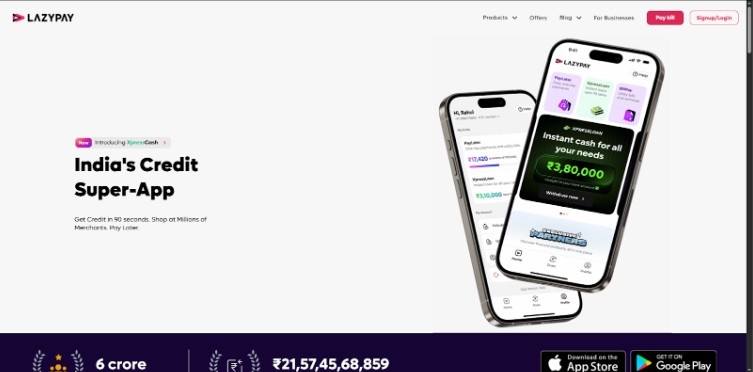
Before the table below, note that both formats connect to the same thing, your credit limit, not your bank balance.
| Feature | Details |
|---|---|
| Standard Format | 9876543210@lazypay |
| Legacy Format | username@payu |
| Linked To | Your LazyPay Credit Limit |
The number before the @ is your registered mobile number. This ID pulls from your credit limit when you pay, not from your savings account. The amount gets added to your LazyPay bill for that cycle.
How to Activate LazyPay UPI for the First Time?
The UPI feature does not turn on by itself. You have to activate it, and your account needs to clear a few checks before that can happen.
Requirements for LazyPay UPI ID Create
Check that you have these in place before you start:
- Full KYC done, Aadhaar and PAN both need to be linked. Half-done KYC will not work.
- Working mobile number: The number on your LazyPay account must be reachable for OTP.
- The credit limit assigned by LazyPay must have given you a credit limit. If the limit shows zero, UPI will not open.
Step-by-Step: How to Activate LazyPay UPI
Once the checks pass, follow these steps:
Step 1: Open the LazyPay app.
Step 2: Find the UPI tile on the home screen. It may show as “LazyPay Plus.”
Step 3: Tap it and verify your identity with an OTP.
Step 4: Link your bank account when the app asks. NPCI rules require this even for credit-line UPI.
Step 5: Set your UPI PIN. Use your debit card details.
Step 6: Your LazyPay UPI ID will appear on screen.
Step 7: Write down or copy the ID when it shows up. You will need it when someone asks for your VPA.

Note: LazyPay has temporarily paused the LazyPlus UPI (Scan & Pay) feature for many users. If you cannot find the UPI tile or “Scan & Pay” option in your app, it is because the program is being updated to meet new RBI regulatory standards.
Managing Access: LazyPay UPI ID Login and Security
There is no separate LazyPay UPI ID login. The UPI feature sits inside the main app. When you log into LazyPay with your mobile number and OTP, you are already in. No second password, no second screen.
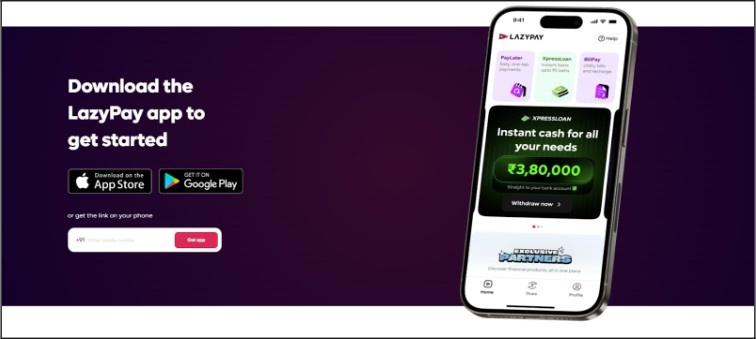
You can add protection using your phone’s fingerprint, face lock, or an app PIN. This stops others from using your UPI if they pick up your phone. LazyPay support will never ask for it.
LazyPay UPI ID Download and App Updates
Many people search for “LazyPay UPI ID download.” To be clear, a UPI ID is not a file. You cannot download it. What you need to download, or update, is the app.
- Android: Open the Google Play Store and search for LazyPay. Tap Update or Install.
- iOS: Open the Apple App Store and update the app if a new version is available.
An old version of the app may not show the UPI tile at all. Updating fixes this in most cases.
How to Use LazyPay UPI for Daily Payments?
Once your ID is live, paying is simple. One thing to know first: LazyPay UPI works for P2M (Person to Merchant) payments. You can pay for shops, apps, restaurants, and service counters.
P2P (Person to Person) transfers, sending money to a friend,d are not supported. This is because the feature runs on a credit line, not a bank balance.
Where is the Scan and Pay Option in LazyPay?
The button moves around with app updates. Here is where to look:
- On the home screen, there is a blue Scan button near the center or bottom.
- Some versions put a QR icon in the bottom bar.
- Inside the LazyPay Plus section, the scan option may sit at the top right.
Tap scan, point the camera at any UPI QR code, check the amount, and confirm. The payment comes out of your LazyPay credit limit.
Troubleshooting: LazyPay Scan and Pay Not Available
This is the most common problem users search for. The scan option goes missing with no reason shown in the app. It usually comes down to one of three things: your account status, pending dues, or an old app version.
The table below lists what causes the problem and how to fix it.
| Issue | Possible Reason | Fix |
|---|---|---|
| Option Missing | Account not on “Plus” plan | Finish Full KYC |
| Transaction Declined | Credit limit used up | Clear pending dues |
| Feature Disabled | App is out of date or a rule change | Update the app |
If none of these work, go to the Help section inside the app and contact support. Some accounts get paused due to checks on the back end, and only the support team can clear that.
Conclusion: LazyPay UPI Lets You Pay Anywhere
LazyPay UPI gives you up to 15 days to pay with no interest, so you can spend without touching your bank balance.
Your purchase history stays on record, which can help your credit profile over time. That said, treat it like a credit card.
If you miss payments or spend more than you can pay back, your credit score will take a hit. Pay on time, spend within your means, and the feature stays useful.
FAQs
Open the LazyPay app and go to the UPI or LazyPay Plus section. Your ID, in the format 9876543210@lazypay, will show on screen.
After activation, you can scan any UPI QR code and pay using your LazyPay credit limit at most UPI-accepting merchants.
Open the LazyPay app, go to the UPI section, and your ID will be on the screen. You can copy it from there.
LazyPay credit does not transfer to a bank account. You can only use it for merchant payments through UPI or on partner platforms.
It refers to a mobile number-based VPA like 9876543210@lazypay. The 10-digit number plus the suffix makes up your full payment address.
LazyPay runs under PayU Finance India, an NBFC. No bank owns it. PayU holds a lending license and uses that to extend credit through LazyPay.