



You can check UPI complaint status through your payment app, the NPCI portal, or your bank. A failed UPI transaction is stressful, especially when money has already left your account.
Most UPI payment issues resolve within 48–72 hours. You don’t need to visit a bank branch. A few taps on your phone are enough to raise a complaint and track it.
This guide walks you through each method so you can get your money back without confusion.
Fastest Ways to Check UPI Complaint Status Online
There are three ways to check your UPI complaint status. The fastest is through the payment app you used.
| Method | Best For | What You Need |
|---|---|---|
| Payment App (GPay, PhonePe, Paytm) | First check, fastest route | App login, transaction history |
| NPCI Portal | Official status, app not working | 12-digit UTR number |
| Bank Portal / Customer Care | Final escalation | Account details, UTR number |
If that doesn’t work, the NPCI portal gives you an official record. If both fail, your bank is the last stop.
Start from the top and move down only if the previous method doesn’t give you a clear answer.
1. Use Your Payment App to Check UPI Complaint Status (GPay, PhonePe, Paytm)
Your payment app is the first place to check. Every major UPI app has a built-in support section where you can raise and track complaints.
Here is a quick navigation guide before the detailed steps:
| No | App Name | Navigation Path | Where to Find Status |
|---|---|---|---|
| 1 | Google Pay | Profile > Transaction History > Select Payment | “Check Status” Button |
| 2 | PhonePe | History > Select Transaction > Contact Support | “View Tickets” |
| 3 | Paytm | Profile > Help & Support > Recent Tickets | “Help Center” Status |
Look for the “Help” or “Support” section inside the app. That’s where your complaint tickets are stored.
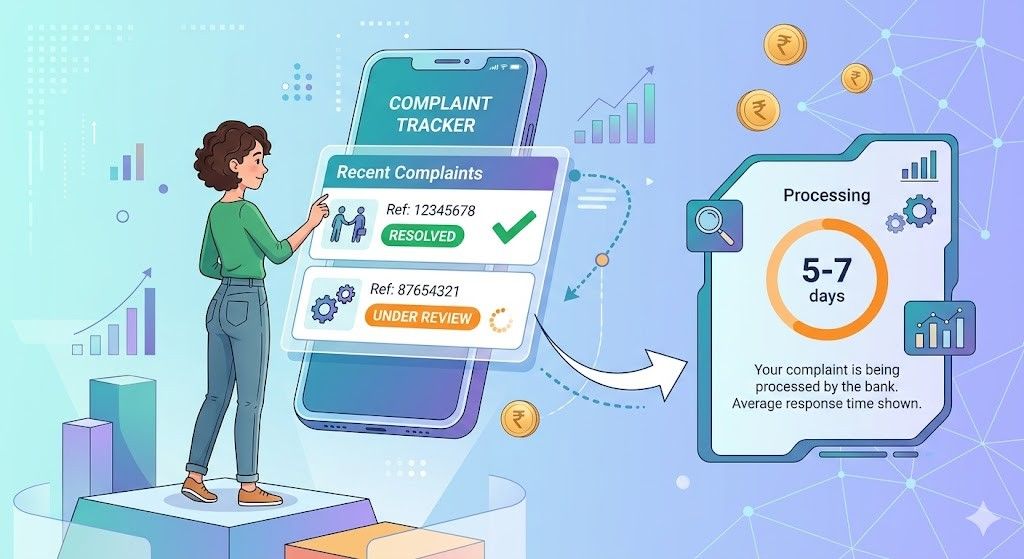
Now here are the step-by-step instructions for each app.
Google Pay — Step-by-Step
- Open the Google Pay and tap the money tab in middle bottom
- Scroll and find the payment that failed or is pending.
- Tap on that transaction to open its details.
- Look for the “Check Status” button.
- Tap it. Google Pay will check with your bank and show the current status.
- If a complaint was already raised, you will see a ticket reference number and its status on the same screen.
If the status shows “Failed” but money was debited, tap “Raise a Dispute” on the same screen.
PhonePe — Step-by-Step
- Open the PhonePe app.
- At the bottom of the home screen, tap the “History” icon.
- Find the transaction you want to check, then tap it.
- The transaction detail screen opens. Scroll down.
- Tap “Need Help?” or “Contact Support.”
- PhonePe will show you options. Select “Issue with this payment.”
- On the next screen, tap “View Tickets” to see all complaints linked to this transaction.
If no ticket exists yet, you can raise a new one from this screen by selecting the issue type.
Paytm — Step-by-Step
- Open the Paytm and tap on the profile.
- Scroll down and tap “Help & Support.”
- Paytm opens the Help Center. Tap “Recent Tickets” at the top.
- You will see a list of all complaints you have raised.
- Tap on the relevant ticket to see its current status.
- If your issue is not listed, go back to the Help Center and tap “Raise a New Issue.”
Select the transaction from your history and follow the on-screen steps to file a BHIM UPI complaint online.
2. Using the NPCI Portal to Check UPI Complaint Status Officially
If the app gives you no clear answer, use the NPCI portal. The National Payments Corporation of India runs the full UPI network.
Their dispute redressal page is the most reliable place to check NPCI UPI complaint status or raise a fresh NPCI complaint online.
You need your 12-digit UTR number before you begin. Without it, the portal cannot find your transaction. Here are the steps:
Step 1: Open the NPCI Help Page.
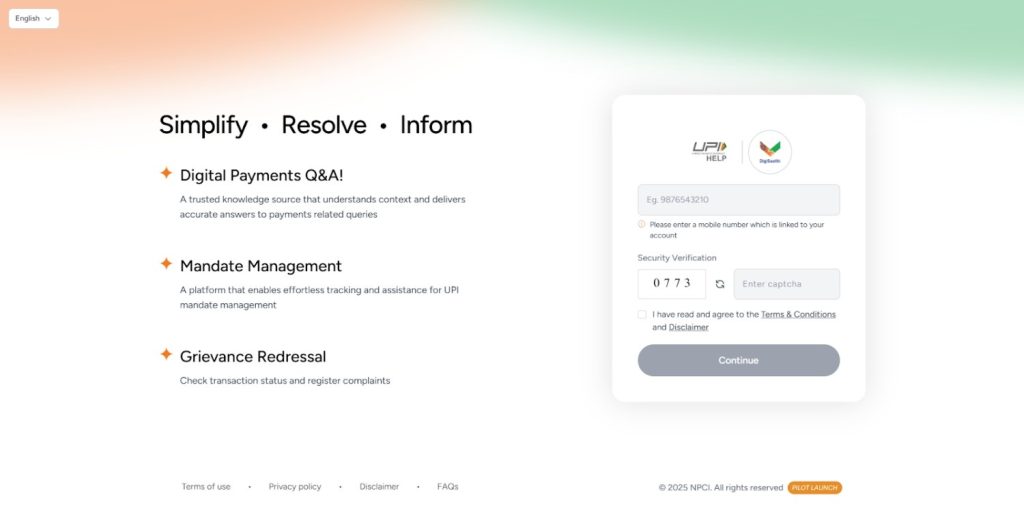
Step 2: Sign in to the page and go to the complaint on the left sidebar.
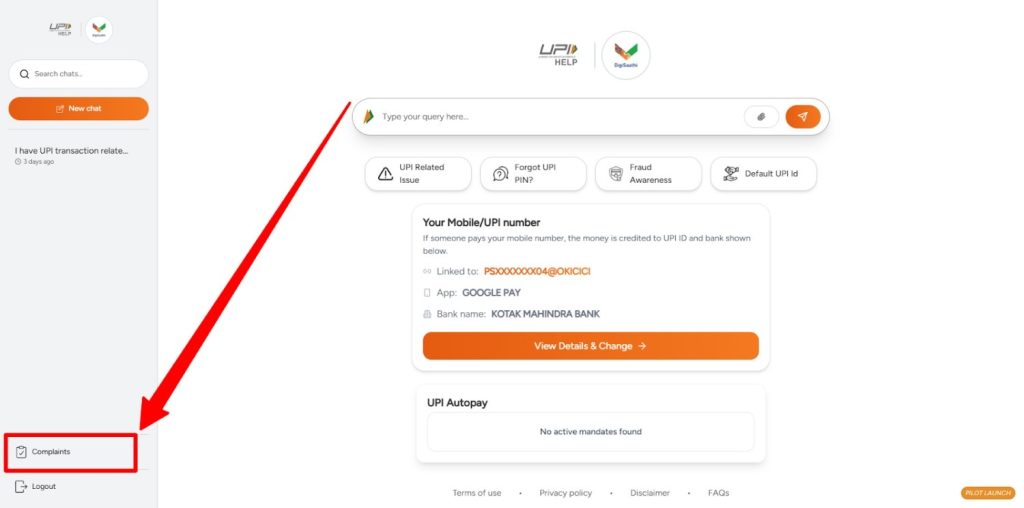
Step 3: The portal will show you the current status of your NPCI UPI refund complaint or confirm that a dispute has been logged.
Note down the complaint reference number you receive. Use it for all future follow-ups.
This portal works for all UPI apps: GPay, PhonePe, Paytm, and BHIM. It is the single point for any NPCI UPI complaint, regardless of which app you used.
3. Contacting Your Bank to Check UPI Complaint Status
Every UPI transaction involves two banks: your bank (Remitter) and the recipient’s bank (Beneficiary). If the app and NPCI portal both leave you without an answer, your bank’s net banking portal or customer care line is the last option.

Step-by-Step: Bank Net Banking Portal
Step 1: Log in to your bank’s net banking website or mobile app.
Step 2: Go to the “Payments” or “UPI” section.
Step 3: Look for “Raise a Dispute” or “Transaction Complaint” the label differs by bank.
Step 4: Select the failed or pending transaction from the list.
Step 5: Choose the complaint type, for example, “Debit without credit to beneficiary.”
Submit the complaint. You will get a complaint reference number on screen or via SMS. To track it later, return to the same section and enter your reference number.
Step-by-Step: Bank Customer Care
- Call your bank’s UPI helpline. Find the number on the back of your debit card or your bank’s website.
- Tell the agent the transaction date, amount, and UTR number.
- Ask them to check the status of the UPI transaction and whether a dispute is already logged.
- If no complaint exists, ask them to raise one and note the ticket or complaint ID they give you.
- Ask for an expected resolution date. Banks must resolve UPI disputes within RBI timelines.
Keep all reference numbers in one place to make follow-ups easier.
The RBI has strict “Turn Around Time” (TAT) rules. If your money is not returned within these windows, the bank is legally required to pay you ₹100 per day in compensation.
Official Timelines:
- Person-to-Person (P2P): Must be resolved/refunded by T+1 day (Transaction day + 1 business day).
- Person-to-Merchant (P2M): Must be resolved/refunded by T+5 days.
Understanding the Different Labels When You Check UPI Complaint Status
When you check the status, you will see labels that are not always clear. “Deemed Successful” sounds like good news, but it does not mean the money reached the other person.
Each label tells you something different, and knowing them saves you from waiting when you should be acting.
| Status Label | What it Actually Means | Action Required |
|---|---|---|
| Pending | The bank servers are still communicating. | Wait 48 hours. |
| Deemed Successful | Money left your bank but is stuck in between. | Raise a dispute via NPCI. |
| Failed / Refunded | The transaction did not go through; the money is returning. | Check the bank statement in 3–5 days. |
| Closed | The investigation is complete. | Re-open if money isn’t received. |
“Deemed Successful” is the one that causes the most confusion. It means the system recorded the debit on your end. If the recipient hasn’t received it, raise an NPCI UPI refund complaint right away.
Essential Details Needed to Check UPI Complaint Status Successfully
Before you go to any portal or call any helpline, keep these four things ready. Missing even one can slow things down or get your complaint rejected.
- UTR Number: The 12-digit Unique Transaction Reference. This is the most important detail for any NPCI complaint online.
- Transaction Date and Time: The exact date and time of the payment.
- VPA (Virtual Payment Address): Your UPI ID, for example, name@okaxis or name@ybl.
- Ticket ID / Complaint ID: If you already raised a complaint, this ID lets you track it without re-entering everything.
Having all four ready before you start saves a lot of back-and-forth.
What to Do If You Can’t Check UPI Complaint Status or It’s Stuck?
Sometimes a complaint just doesn’t move. The status stays the same for days, the app support doesn’t respond, and the bank says they’re “looking into it.”
If your UPI dispute has been open for more than 30 days without a resolution, you have a stronger option available.
Escalate to the RBI Integrated Ombudsman Scheme.
The Reserve Bank of India runs a free grievance system for banking and payment complaints.
Banks treat RBI ombudsman complaints with urgency, and resolution tends to happen faster once this step is taken. This works for any stuck BHIM UPI complaint or NPCI UPI complaint that has gone unanswered.
If money went to the wrong person, that situation needs a separate process. Read the guide on UPI reverse transactions to understand the steps involved.
Common Timelines For UPI Refunds and Status Updates
Knowing how long things take stops you from following up too early — and tells you when it’s time to escalate. Here is a breakdown of expected resolution times based on the type of issue.
| Issue Type | Expected Resolution Time |
|---|---|
| Account debited, but transaction failed | 24–48 Hours |
| Transaction “Pending” status | Up to 3 Business Days |
| Complex disputes (e.g., wrong recipient) | 7–15 Business Days |
If your case involves a wrong transfer, act fast. Recovery depends on the other person’s bank. You can also check theUPI transaction limit rules to understand what applies to your case.
It also helps to stay up to date with the UPI’s new rules page, since NPCI updates its guidelines from time to time.
Suggested Reads:
Conclusion: Use Your App, NPCI Portal or Bank To Track and Recover Your Money
You can check UPI complaint status through your payment app, the NPCI portal, or your bank in that order.
Start with the app, move to NPCI if needed, and contact your bank as the last step. Keep your UTR number ready before you begin. Most issues clear up within 48–72 hours.
For anything older than 30 days, go to the RBI ombudsman. One reminder: no bank or NPCI representative will ever ask for your OTP or UPI PIN to check a complaint. If someone does, it is a scam.
FAQ
Open your payment app, go to transaction history, and tap the failed payment. The refund status shows there. You can also check your bank statement within 3–5 business days.
Simple cases resolve in 24–48 hours. Pending transactions take up to 3 business days. Wrong transfer disputes can take up to 15 business days.
Raise a ticket in your payment app or visit the NPCI UPI dispute redressal portal. Keep your 12-digit UTR number ready before you start.
Go to your app’s transaction history, select the payment, and tap “Check Status.” You can also use the NPCI portal with your UTR number to check NPCI UPI complaint status online.
Use the Ticket ID or Complaint ID from when you first raised the issue. Enter it in your app’s Help section or on the NPCI portal for a live update.
Check your bank’s SMS alerts or net banking for the credit entry. If it hasn’t arrived in 5 days, use your app or the BHIM UPI complaint online portal to follow up.