

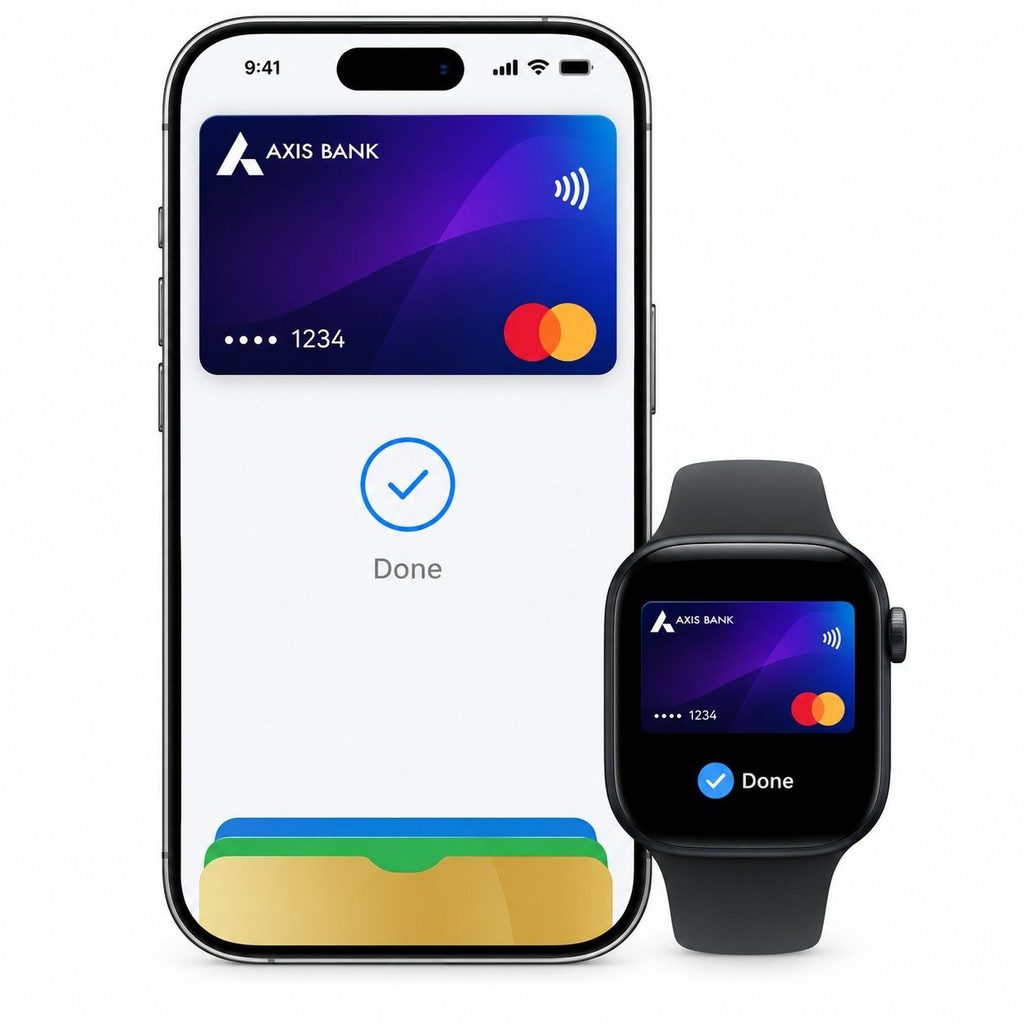
Apple Pay is now available in India. It launched on 30 September 2026 for iPhone, iPad, and Apple Watch, with Mac support coming soon.
At launch, only eligible Axis Bank Visa and Mastercard credit cards work, and Apple Pay does not cover UPI. If you hold one of those cards and own a compatible Apple device, you can add it to Wallet and start tapping to pay right away.
Is Apple Pay Available in India?
Yes. Apple says Apple Pay is available across iPhone, iPad, and Apple Watch, with Mac support coming soon. Apple has not given a date for Mac.
The launch is limited. Knowing the limits first saves you from a failed card setup.
| Detail | Status at launch |
|---|---|
| Launch date | 30 September 2026 |
| Devices | iPhone, iPad, Apple Watch (Mac coming soon) |
| Supported issuer | Axis Bank |
| Supported cards | Credit cards on Visa and Mastercard |
| Not supported | RuPay cards and UPI |
| Fee charged by Apple | None |
Why this matters: Out of more than 124.05 million credit cards in India, about 16.23 million are Axis Bank cards. Since Apple Pay is only eligible for Axis Bank credit cards right now, most cardholders cannot use it yet.
Source: TechCrunch, Apple, Business Standard, Apple Insider
How to Set Up Apple Pay in India
Setup happens inside Apple Wallet, and it takes only a few steps. Apple also keeps the difference clear: Apple Pay is the payment service, and Apple Wallet is the app that holds your cards, tickets, and keys.
Set up on your iPhone
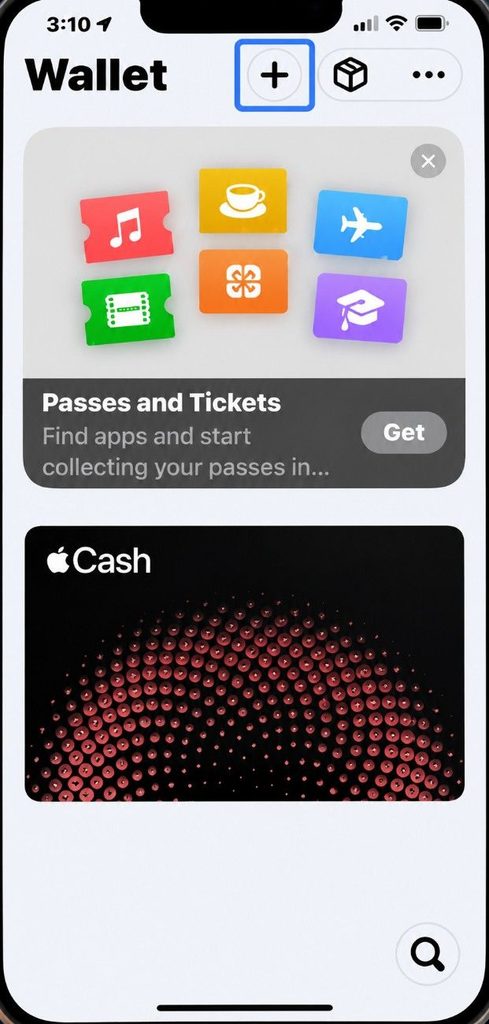
1. Open the Wallet app and tap the plus symbol to add a credit card.
2. Add your card with the options provided.
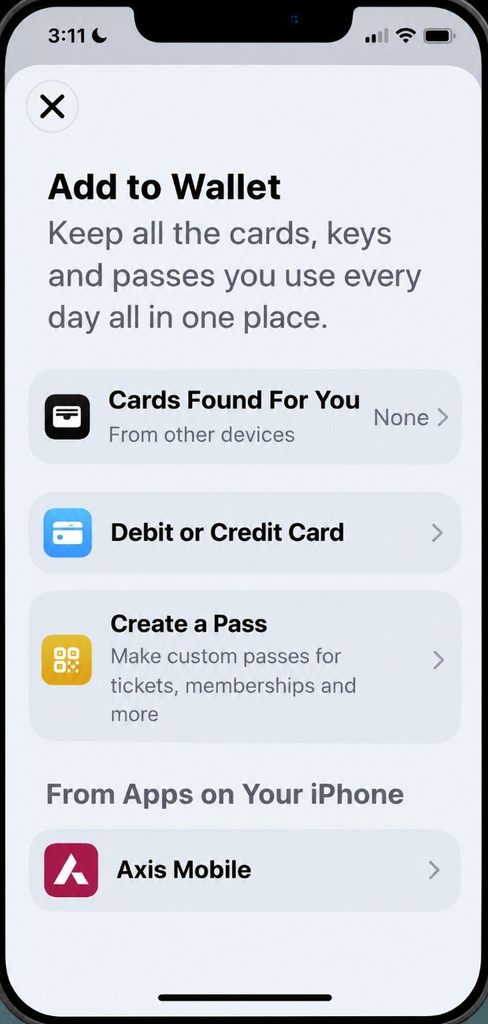
3. Scan your card or enter the details and follow the instructions in the app.
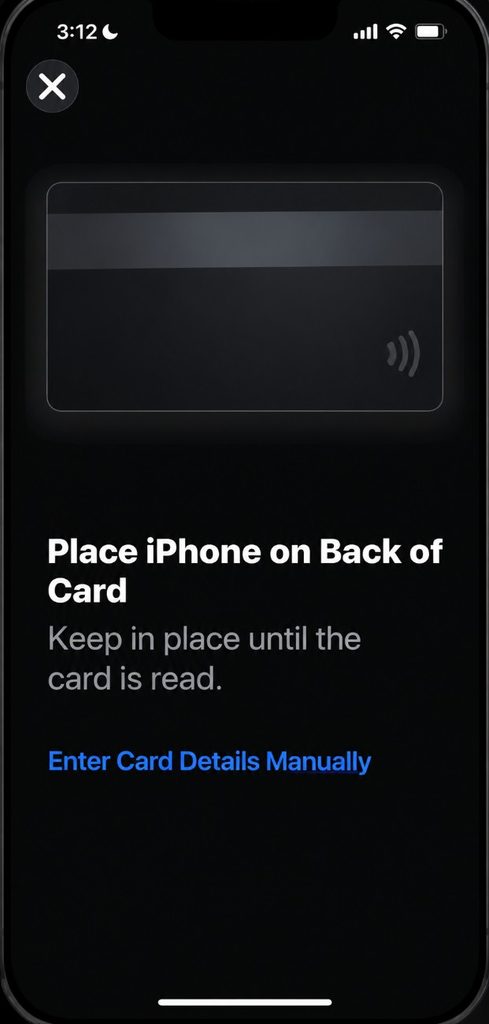
4. Complete verification. Your card issuer may ask for an extra check, such as an OTP or Bank App Verification, during setup.
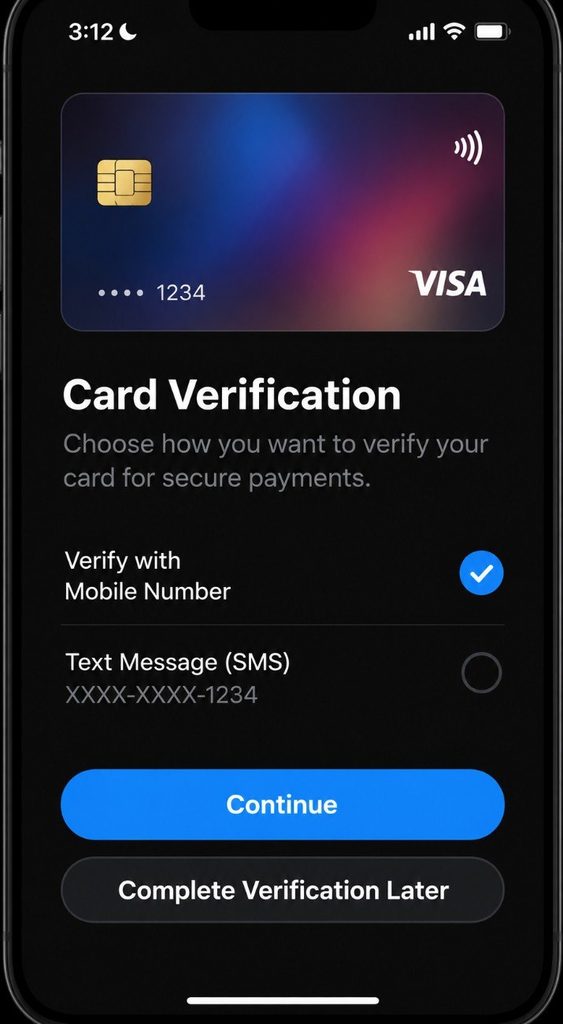
You can also start from Apple’s Add a card to Apple Wallet button, or scan the QR code on the Apple Pay page with your iPhone.
Set up on Apple Watch or iPad
Apple points to its support guide on how to add your card to other Apple devices.
Check before you start
- Card compatibility: To confirm your card works, contact your card issuer. Apple says you need a supported card from a participating issuer.
- Axis Bank cards: Axis credit cards can currently be used on Apple devices except Mac.
- Bank list: If your card is not supported yet, Apple’s list of supported banks shows where things stand.
Where Can You Use Apple Pay in India?
You can use Apple Pay in these places:
- In stores: Look for the contactless symbol at the counter. Apple Pay works wherever contactless payments are accepted.
- Online and in apps: Look for the Apple Pay button at checkout.
- Launch partners: Apple lists the Apple Store, Blinkit, Chaayos, Croma, Comet, Interflora, Le15 Patisserie, Ixigo, Reliance brands, Tata 1mg, and Zomato.
- Payment companies: Apple worked with BillDesk, Cashfree, Juspay, Mswipe, Paytm, PayU, Pine Labs, Razorpay, and others. More merchants will be added over time.
- Small shops: A shop needs a contactless-enabled terminal. If it only has a QR code, you cannot tap.
Which Banks Support Apple Pay in India?
Only Axis Bank is live. Its Visa and Mastercard credit cards are supported.
| Issuer or network | Status |
|---|---|
| Axis Bank (Visa, Mastercard credit cards) | Supported |
| HDFC Bank, ICICI Bank, SBI Card | Not at launch; talks on commercial terms reportedly continue |
| RuPay network | Not supported |
Apple has said more bank partners are expected, but no dates are public. Check Apple’s supported banks list before you plan around a specific card.
What Do You Need to Use Apple Pay in India?
Check these four things before you start:
- A compatible iPhone: iPhone XR or later with iOS 18 or later.
- An Apple Watch (optional): Series 6 or later with watchOS 11 or later, paired with an iPhone XR or later.
- An eligible card: an Axis Bank-issued Visa or Mastercard credit card.
- A way to authenticate: Face ID, Touch ID, or a device passcode.
Apple’s launch material refers only to credit cards, so debit cardholders should not expect support yet. If you are unsure how the two differ in fees, limits, and protection, see our guide on credit card vs debit card.
Cost: Apple charges no fee for Apple Pay purchases. Your card issuer may still apply its usual charges.
Rewards: You keep earning the rewards and benefits your card offers.
Can You Use Apple Pay for UPI Payments in India?
No, not at launch. Apple’s rollout is focused on cards rather than UPI.
Apple had reportedly explored a UPI-based version in 2023. Nothing in the launch announcement says it is coming.
In practice, you will keep using a UPI app for QR payments and small transfers. UPI payments move money directly from a linked bank account, while transaction limits depend on the applicable UPI category, bank and transaction type.
A cost change to know: From 15 October, a 0.4% merchant discount rate applies to specified UPI person-to-merchant payments above ₹2,000. The government has said merchants, not consumers, pay it.
NPCI’s FAQ says standard credit-card MDR typically ranges from 1.5% to 3.5%, compared with the 0.4% MDR for eligible UPI P2M transactions above ₹2,000.
Apple Pay vs UPI in India: What’s the Difference?
Both can feel like “tap and pay”, but they run on different rails. NPCI introduced UPI Tap & Pay this month, which makes the comparison closer.
| Feature | Apple Pay | UPI |
|---|---|---|
| Basic payment method | Card-based | Bank-account-based |
| Setup | Add eligible card to Apple Wallet | Link bank account through UPI app |
| Contactless tap | Yes, using Apple Pay/NFC | Yes, through UPI Tap & Pay on supported devices/terminals |
| QR payments | Not a general QR payment system | Yes |
| Authentication | Face ID, Touch ID or device passcode | Depends on UPI payment method |
| Main use | Card payments | Bank-account payments |
UPI apps can also use fingerprint or face checks. Our explainer on UPI biometric authentication shows how that works.
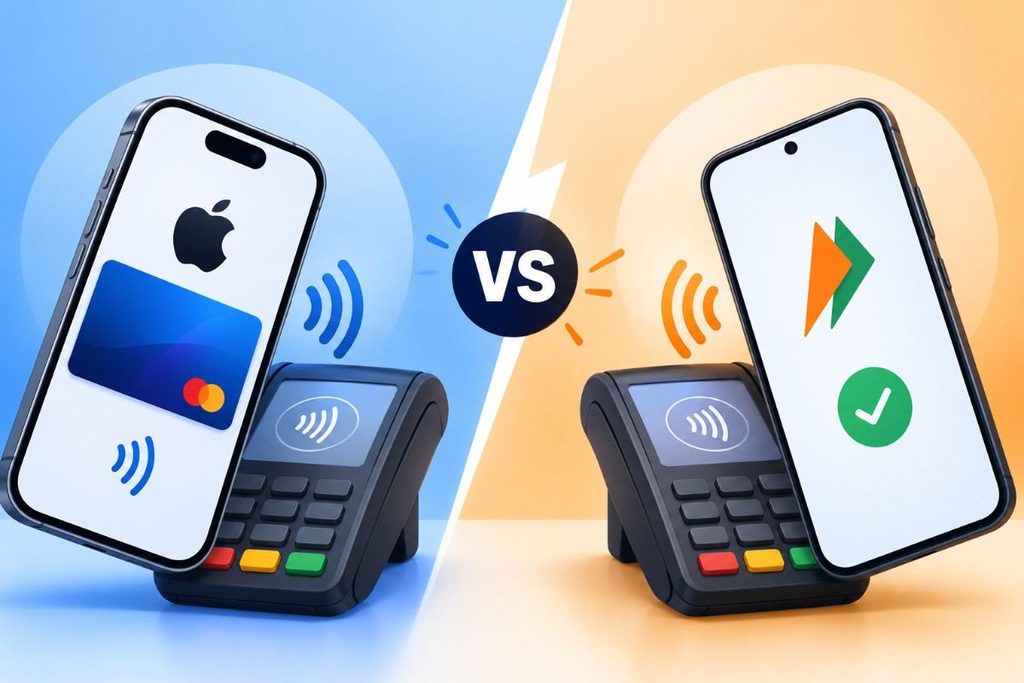
UPI or Apple Pay: Which One Should You Use?
- Small local payments: UPI QR. It accounts for over 80% of digital payment volume.
- Larger purchases or rewards: Apple Pay, since you keep your card’s rewards.
- Online checkout without OTPs: Apple Pay, which removes OTP friction.
Is Apple Pay Safe to Use in India?
Apple Pay is designed to be safer than tapping a physical card. Apple says so directly, and the protections are specific.
- Tokenisation: Your actual card number is not stored on the device or Apple’s servers, or shared with merchants.
- Secure Element: A unique Device Account Number is encrypted and stored in a certified chip.
- Authentication: Every payment needs Face ID, Touch ID, or your passcode.
- Lost phone: Use Find My to locate, lock, or suspend payments, or remove your cards remotely.
- Privacy: Apple does not keep transaction information tied back to you.
Conclusion: Apple Pay is Now Available in India
Apple Pay is a genuine addition to Indian payments, but it is a narrow one for now. Only Axis Bank credit cards work; HDFC Bank, ICICI Bank, and SBI Card are absent, and UPI remains the everyday default.
If you hold an eligible card and a compatible iPhone, setup is quick and checkout needs no PIN or OTP. Everyone else should watch for new bank announcements before changing habits.
FAQs
Yes. Apple says you continue earning the rewards, cashback, discounts, and other benefits offered by your card issuer when you pay using Apple Pay.
Yes. Apple Pay can be used abroad wherever contactless payments are accepted. However, check with your card issuer about international transactions, foreign-exchange rates, and additional charges.
Apple does not set a separate transaction limit for Apple Pay. However, your card’s credit limit, spending restrictions, and issuer-specific controls still apply.
You may be able to view your card balance and transaction activity in Apple Wallet if your card issuer supports these features for eligible cards.
Yes, businesses accepting contactless card payments can generally accept Apple Pay. Merchants should check with their payment provider to confirm whether their terminal supports contactless transactions.
There is currently no publicly announced date for these issuers to join Apple Pay in India. Availability depends on agreements between Apple and participating card issuers.