

You can generate a credit card PIN through net banking, your bank’s mobile app, at an ATM, or by calling customer care.
Most Indian banks require OTP verification on your registered mobile number during the process. A credit card PIN is a confidential 4-digit code needed for ATM withdrawals and point-of-sale transactions. Without setting it up, your new credit card remains inactive for offline and ATM use.
What Is a Credit Card PIN and Why Is It Important?
A credit card PIN (Personal Identification Number) is a confidential 4-digit code assigned to your card. It acts as the first layer of identity verification when you use your card at an ATM or a point-of-sale terminal.

The PIN ensures that only you can authorize physical transactions. Without it, your card cannot be used for cash withdrawals or chip-based purchases at retail stores.
The RBI’s Authentication Mechanisms for Digital Payment Transactions Directions, 2025 mandate at least two-factor authentication for all digital payments. Your PIN serves as the “something you know” factor in this framework.
Here is when a credit card PIN is and is not required:
| Usage | Is PIN Required? |
|---|---|
| ATM cash withdrawal | Yes |
| POS transactions (chip cards) | Usually Yes |
| Online transactions | No (OTP-based authentication) |
| Contactless transactions | May be required above certain limits |
Understanding when a PIN is needed helps you prepare before visiting an ATM or swiping your card at a store. For online purchases, banks rely on OTPs instead of PINs.
Prerequisites Before Generating a Credit Card PIN
Before starting the PIN generation process, verify that a few essentials are in place. Missing any one of these can cause the process to fail midway.
| Requirement | Purpose |
|---|---|
| Credit card number | Card verification |
| Registered mobile number | OTP authentication |
| Date of birth/PAN (bank-specific) | Identity verification |
| Net banking login (optional) | Online PIN generation |
Your registered mobile number is the most critical requirement. Every PIN generation method relies on OTP delivery to this number for authentication.
If your mobile number has changed, update it with your bank before attempting PIN generation. You can usually do this through a branch visit or by calling your bank’s customer support helpline.
Some banks, like SBI Card, also require your card expiry date and CVV during the online PIN generation process. Keep your physical card handy.
How to Generate a Credit Card PIN Online
Net banking is one of the fastest ways to generate your credit card PIN. Most major Indian banks support this method through their internet banking portals.
Here is the general process that applies across banks like HDFC, ICICI, and SBI:
Step 1: Log in to your bank’s net banking portal using your credentials.
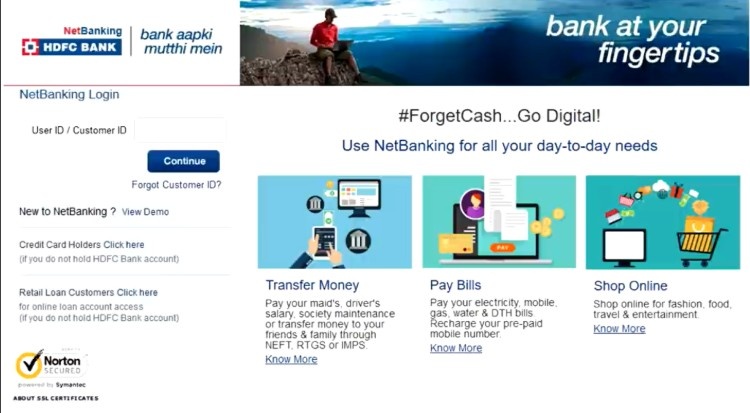
Step 2: Navigate to the “Cards” section from the dashboard. Or go to the “Credit Cards” section.
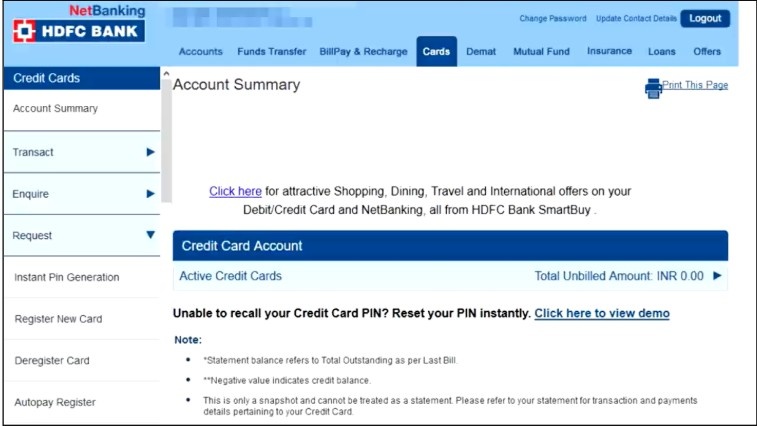
Step 3: Select the credit card for which you want to generate a PIN.
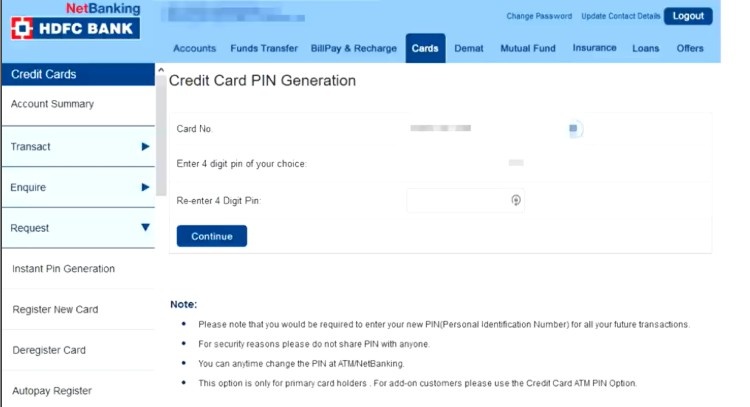
Step 4: Click on the “Generate PIN” option. Or select the “Change PIN” option.
Step 5: Enter the OTP received. It will be sent to your registered mobile number.
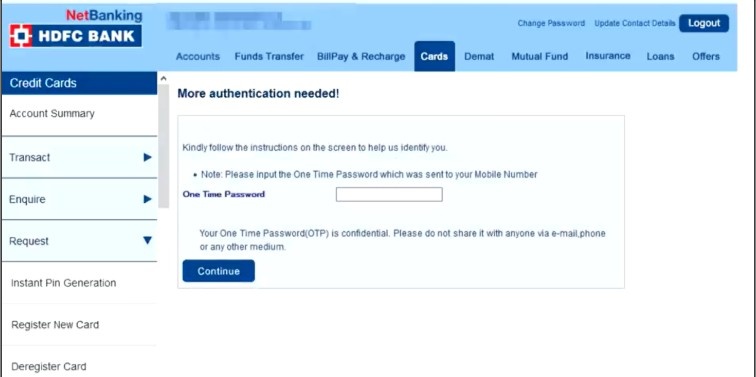
Step 6: Choose a 4-digit PIN of your preference and confirm it.
Step 7: You will receive a confirmation message once you successfully set the PIN.
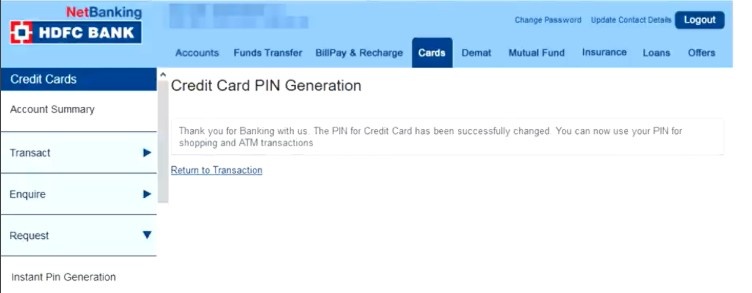
ICICI Bank users should look under “Cards and Loans” in their net banking dashboard. If you are an HDFC Bank customer and also use UPI, you may find it helpful to understand how to create a UPI ID with HDFC Bank for managing digital payments alongside your card.
The PIN becomes active immediately after successful generation. You can use the card at ATMs and POS terminals right away.
How to Generate a Credit Card PIN via Mobile App
Bank mobile apps offer the most convenient way to generate a credit card PIN without visiting an ATM or opening a laptop. Nearly every major Indian bank now supports this feature.
The general steps for mobile app PIN generation are:
Step 1: Download and install your bank’s official mobile app (such as iMobile Pay for ICICI, YONO for SBI, or the HDFC Bank app).
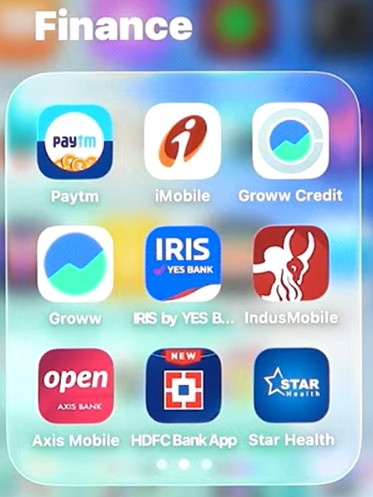
Step 2: Log in with your mobile banking credentials. Enter your username and password to access your account.
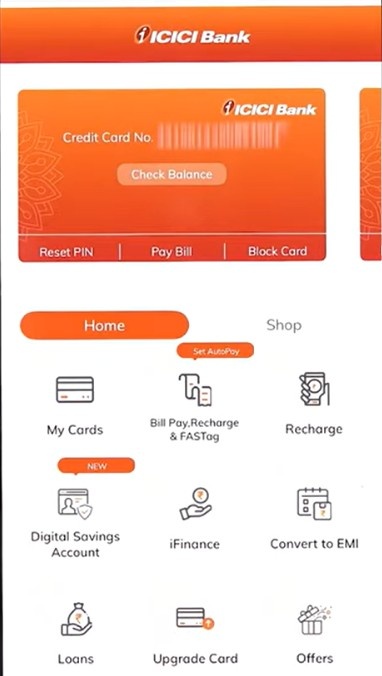
Step 3: Go to the “Cards” section within the app. Or select the “Card Services” section.
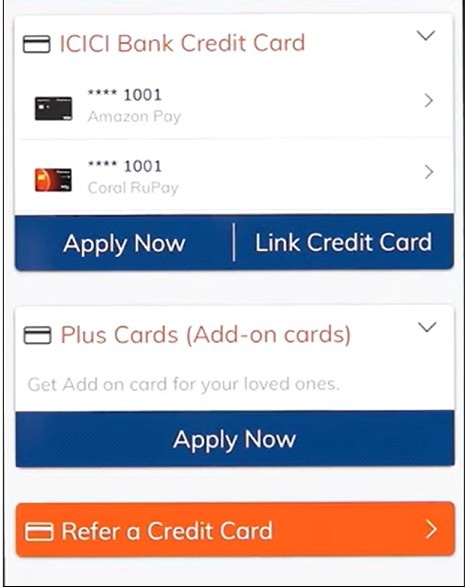
Step 4: Select your credit card. Tap “Generate PIN” or “Set PIN.”
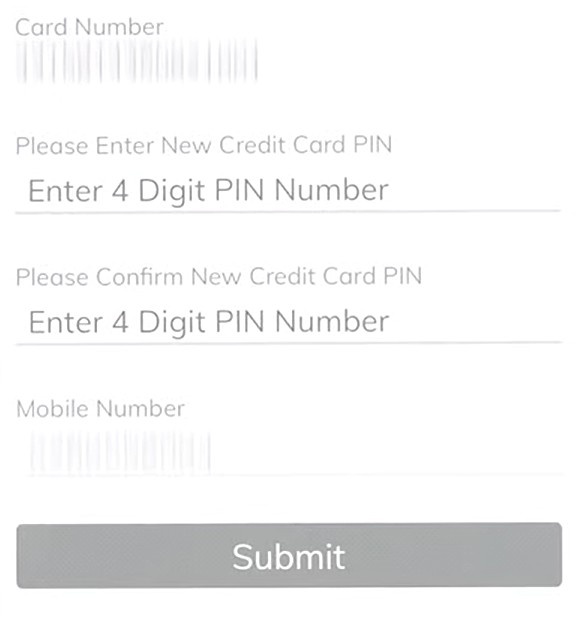
Step 5: Verify your identity through the OTP sent to your registered number.
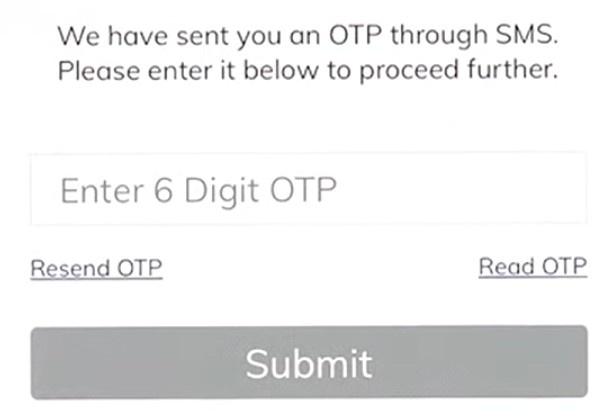
Step 6: Enter your preferred 4-digit PIN and confirm it.
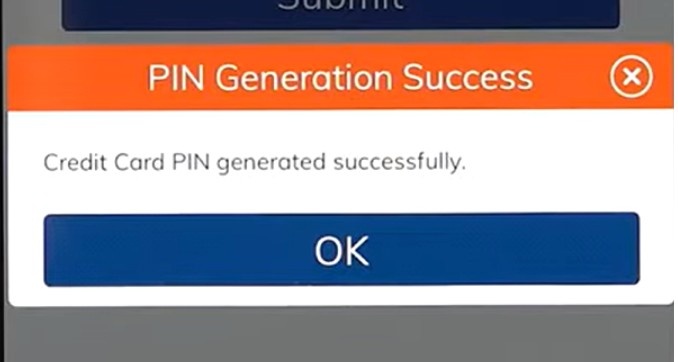
For SBI Card users, the YONO app provides a dedicated SBI Cards section where you can generate or change your transaction PIN. ICICI Bank’s iMobile Pay app allows PIN generation under “Service and Aadhaar” followed by “Card Services.”
Always download banking apps from the official Google Play Store or Apple App Store. Avoid installing apps from third-party sources, as they may compromise your data.
Step 1: Visit the nearest ATM of your card-issuing bank.
Step 2: Insert your credit card. Select your preferred language.
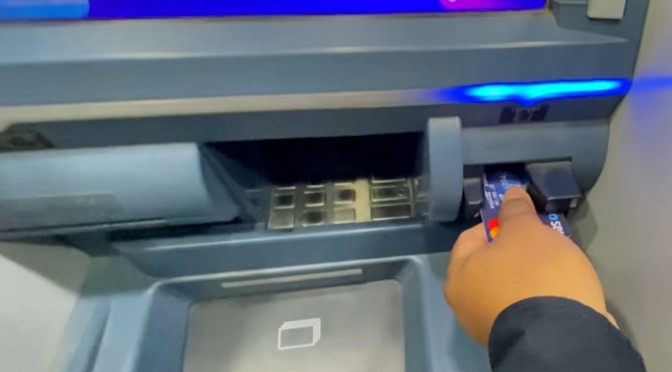
Step 3: Choose the option “Create New ATM PIN using OTP” or “PIN Generation” on the screen.
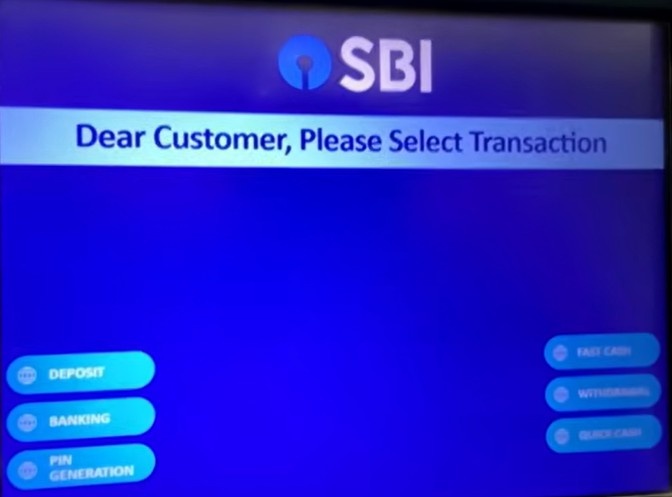
Step 4: After selecting the option, a screen will show up. Enter your account number.

Step 5: Enter the mobile number.
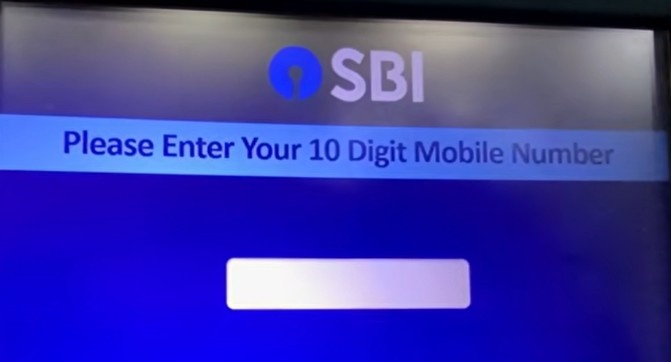
Step 6: Type your desired 4-digit PIN. Re-enter the PIN to confirm.
Step 8: A confirmation message will appear on the screen and via SMS.
Some banks, like HDFC, require you to first call a helpline number (such as 1860 266 0333) to receive the initial OTP before inserting the card at the ATM. You then use the OTP at the ATM to complete the process.
You can typically use any ATM belonging to your card-issuing bank. However, PIN generation at third-party ATMs is generally not supported.
How to Generate a Credit Card PIN via IVR or Phone Banking
Many banks also allow credit card PIN generation through their Interactive Voice Response (IVR) system. This is particularly useful if you do not have internet access or prefer a phone-based method.
Step 1: Call your bank’s credit card customer care number from your registered mobile number.
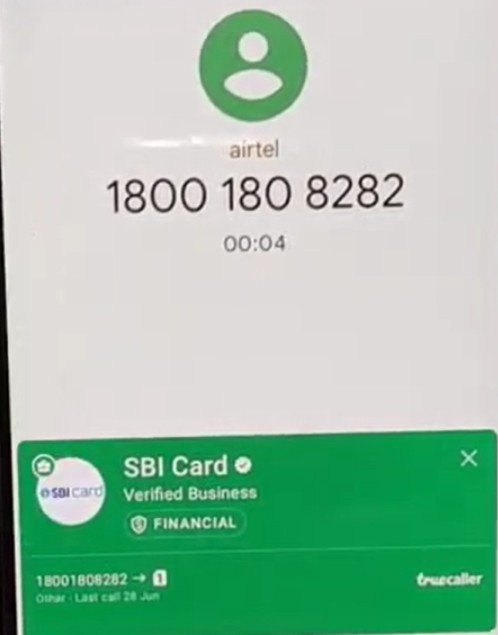
Step 2: Follow the IVR prompts. Select the option for PIN generation or card services.
Step 3: Enter your 16-digit credit card number when prompted.

Step 4: Provide verification details. The details can be your date of birth or card expiry date.
Step 5: Enter the OTP received on your registered mobile number.
Step 6: Set your 4-digit PIN and confirm it.
For SBI Card, you can call 1860 180 1290 and select option “6” to generate a PIN. ICICI Bank customers can use 1800 200 3344 for the same purpose.
This method works well for users who may face technical difficulties with apps or websites.
Common Issues During Credit Card PIN Generation and How to Resolve Them
PIN generation usually takes just a few minutes. However, some common issues can interrupt the process. Here are the most frequent problems and their solutions:
| Issue | Possible Solution |
|---|---|
| OTP not received | Check the network and the registered mobile number |
| Card not activated | Activate the card before generating the PIN |
| PIN generation failed | Retry after some time |
| Mobile number not updated | Contact the bank’s customer support |
| ATM error | Use another ATM or online channel |
If your OTP is delayed, do not repeatedly request new OTPs. Multiple requests in quick succession can temporarily block OTP delivery to your number.
Card activation and PIN generation are often linked. For many banks, generating the PIN for the first time also activates the card. If your card was issued more than 30 days ago without activation, you may need to provide OTP-based consent to activate it, as per the RBI’s card activation guidelines.
If you face repeated failures during the process, similar troubleshooting steps apply as when resolving failed UPI transactions, such as checking network issues and verifying your registered details.
Credit Card PIN Security Tips and Best Practices
Your credit card PIN is the primary barrier between your card and unauthorized use. Treating it carelessly can lead to financial fraud.
- Choose a strong PIN. Avoid obvious combinations like 1234, 0000, or your birth year. These are the first combinations a fraudster will attempt.
- Never share your PIN. Do not disclose your PIN to anyone, including bank employees. No bank will ever ask for your PIN over the phone or via email. The same principle applies to all sensitive credentials.
- Change your PIN periodically. Updating your PIN every 3 to 6 months reduces the risk of unauthorized access. You can change it through any of the methods described above.
- Cover the keypad at ATMs. Always shield the keypad with your hand while entering the PIN. Shoulder surfing remains a common method of PIN theft in India.
- Do not write your PIN on the card. Storing your PIN physically on or near the card defeats its purpose entirely. If you tend to forget PINs, consider using your bank’s app for quick resets. Similar PIN management practices apply to UPI as well.
- Enable transaction alerts. Ensure SMS and email alerts are active for every card transaction. Immediate notification helps you spot unauthorized use quickly.
Conclusion: Generate your credit card PIN online, via app, or at an ATM.
Setting up your credit card PIN is a quick process that takes under five minutes through any supported channel.
Whether you choose net banking, a mobile app, an ATM, or phone banking, the core steps remain the same: verify your identity through OTP and set a 4-digit code.
Prioritize keeping your PIN confidential and update it regularly. Once your PIN is active, your credit card is ready for ATM withdrawals and POS transactions across India.
FAQs
No. Every PIN generation method requires OTP verification, which is sent to the mobile number registered with your bank. If your number has changed, update it with the bank first.
No. Your credit card PIN and debit card PIN are separate. Each card has its own independent PIN, even if both are issued by the same bank.
After three to five incorrect attempts (depending on the bank), your card may get temporarily blocked for PIN-based transactions. You will need to contact your bank or reset the PIN to regain access.
While you can technically do this, it is not recommended. Using the same PIN across cards increases risk if someone compromises one PIN.
Yes. As soon as you successfully set a new PIN, the system immediately invalidates the old PIN. There is no overlap period.
It depends on the bank. Some banks allow PIN generation through net banking or the mobile app from any location. ATM-based and IVR methods may not work with international numbers or roaming SIMs.