

Forgetting your UPI PIN can stop you from completing digital payments, as it secures all transactions linked to your bank account.
This usually happens due to infrequent use, multiple apps, or simple memory lapses, which can lead to failed payments and repeated OTP checks.
In this article, we will explore why UPI PINs are forgotten, how to reset them safely, and tips to avoid this problem in the future.
What is a UPI PIN and Why It’s Critical for Secure Payments
A UPI PIN is a 4-digit or 6-digit code that secures all digital transactions linked to your bank account. It ensures only you can authorize payments.
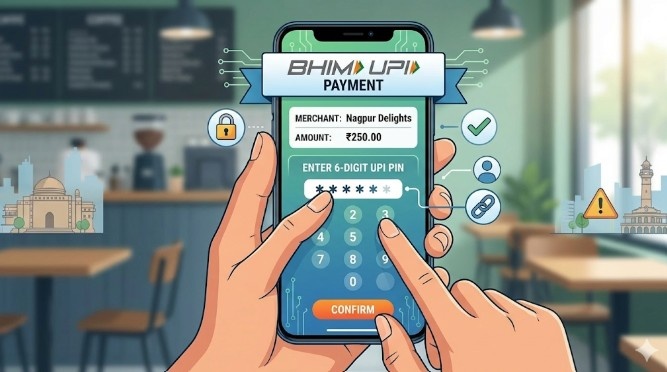
Every UPI transaction, whether sending money or paying bills, requires this PIN for authentication. Without it, transactions cannot be completed, keeping your funds safe.
After authentication, every payment is also subject to UPI transaction limits set by NPCI and your bank. Its importance lies in protecting your bank account from unauthorized access and preventing fraud, making it a critical part of secure digital payments.
Common Reasons Users Forget Their UPI PIN
Many users forget their UPI PIN, causing failed transactions and payment delays.
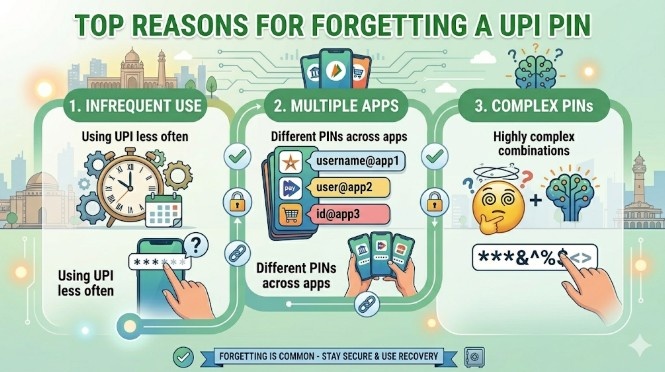
Understanding the main reasons can help prevent frustration and repeated errors.
1. Infrequent usage: Users who rarely make UPI transactions often struggle to remember their PIN when needed.
2. Multiple apps or accounts: Managing several UPI apps or bank accounts can create confusion and increase the chance of mixing up PINs.
3. Complex or frequently changed PINs: Choosing strong or frequently updated PINs makes them harder to memorize.
4. Distractions or memory lapses: Forgetfulness, being distracted during setup, or not actively recalling the PIN can lead to issues.
5. Technical changes: Updating apps or changing phones may disrupt access, causing users to forget the current UPI PIN.
Step-by-Step Guide to Reset UPI PIN on Bank and UPI Apps
Forgetting your UPI PIN doesn’t have to stop your digital transactions. You can easily reset it using your bank’s app or popular UPI apps like Google Pay, PhonePe, Paytm, or BHIM. The process is simple, but it requires secure verification to protect your account.
Step 1: Open the UPI app or your bank’s mobile app and go to Bank Account or UPI Settings.
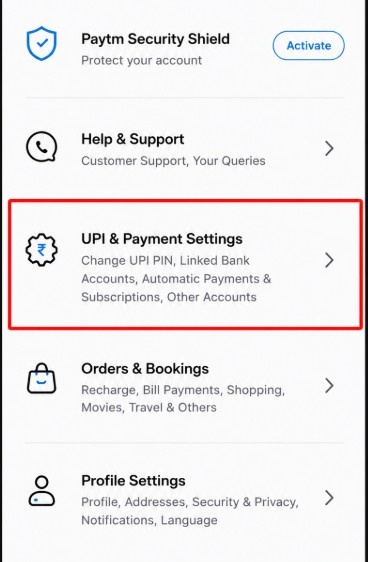
Step 2: Tap “Forgot UPI PIN” or “Reset UPI PIN.”
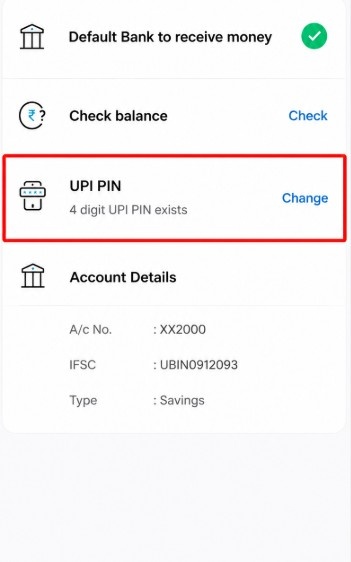
Step 3: Select your linked bank account.
Step 4: Enter your debit card details and verify with the OTP.
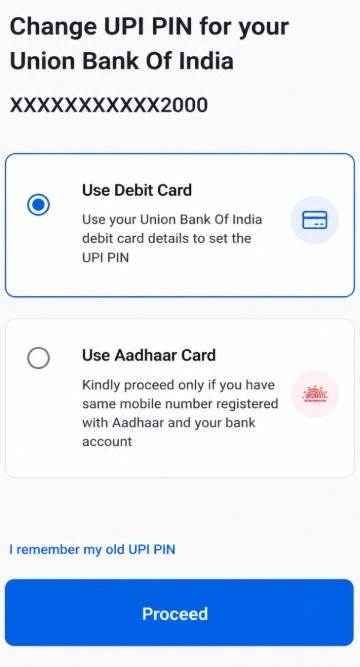
Step 5: Set a new UPI PIN and confirm to complete the reset.
Common Issues During UPI PIN Reset and Their Solutions
While resetting your UPI PIN is usually straightforward, users may encounter issues that prevent a successful reset. These issues can range from OTP delays to app errors or incorrect bank details.
Understanding the most common problems and their solutions can save time and help you regain access quickly.
| Problem | Solution |
|---|---|
| OTP not received | Ensure your registered mobile number is active and able to receive SMS. Retry after a few minutes or request OTP again. |
| Multiple failed attempts | Wait 30–60 minutes before trying again to avoid a temporary block. Double-check your PIN before entering. |
| App errors or server downtime | Update your UPI app to the latest version. If the issue persists, try again later or contact the app’s support. |
| Bank account not linked | Verify that your bank account is active and properly linked to your UPI app. Re-link if necessary. |
| Forgot debit card details | Check your debit card statement or bank app for the card number and expiry date, then retry PIN reset. |
If repeated failed PIN attempts have restricted your payments, you may also need to unblock your UPI ID before making transactions again.
How to Choose a Strong and Memorable UPI PIN
Choosing the right UPI PIN is essential for both security and convenience.
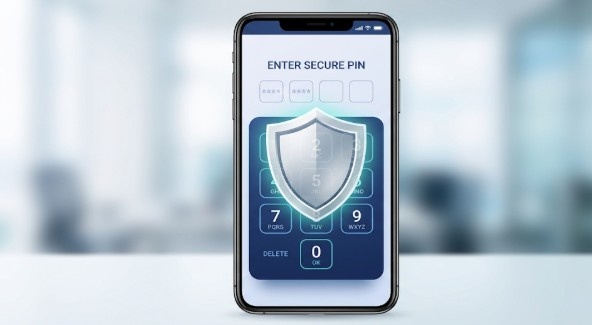
A strong PIN protects your bank account from unauthorized access, while a memorable one ensures smooth transactions.
- Use a unique combination of numbers: Avoid obvious sequences like 1234, 0000, or your birthdate.
- Incorporate patterns or mnemonics: Create a number pattern that is easy for you to recall but hard for others to guess.
- Avoid repetition across apps: Do not use the same PIN for multiple UPI apps or bank accounts.
- Change periodically but wisely: Updating your PIN occasionally improves security, but ensure it’s still memorable.
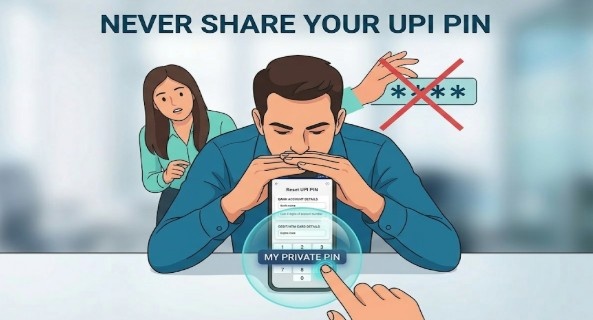
- Keep it private: Never share your PIN with anyone or store it in unsecured digital notes.
Preventive Measures to Avoid Forgetting Your UPI PIN
Forgetting your UPI PIN can disrupt digital payments and cause unnecessary delays. Implementing simple preventive measures can help you remember your PIN while keeping your account secure.
Tips to avoid forgetting your UPI PIN:
- Use a memorable pattern or mnemonic: Link numbers to something meaningful that you can easily recall.
- Practice regular usage: Frequent transactions reinforce memory and reduce the chance of forgetting your PIN.
- Store securely if needed: Use encrypted password managers rather than writing your PIN on paper or storing it insecurely.
- Set reminders for infrequently used PINs: Gentle reminders can help you recall PINs you use less often.
- Avoid sharing your PIN: Relying on others can compromise both memory and security.
Conclusion: Reset Your Forgotten UPI PIN Quickly and Securely
Forgetting your UPI PIN is common, but it can be quickly resolved by following secure reset steps through your bank or UPI app.
Understanding the reasons behind a forgotten PIN helps prevent repeated issues and ensures smoother, uninterrupted digital transactions.
By adopting strong PIN practices, preventive measures, and safe habits, users can keep their UPI transactions secure and hassle-free.
FAQ
If you forget your UPI PIN, you can reset it via your bank app or a UPI-enabled app using OTP and debit card authentication.
Most UPI apps allow 3 consecutive attempts. Multiple failed attempts may temporarily block your UPI transactions, requiring a PIN reset to continue using UPI.
While possible, it’s safer to use different PINs for different apps. Unique PINs reduce the risk of unauthorized access if one app is compromised.
UPI PINs are encrypted and verified through your bank. Using a strong, unique PIN prevents fraud and keeps online payments secure from unauthorized access.
No, resetting a UPI PIN requires OTP verification on your registered mobile number and debit card details, making unauthorized resets virtually impossible.