

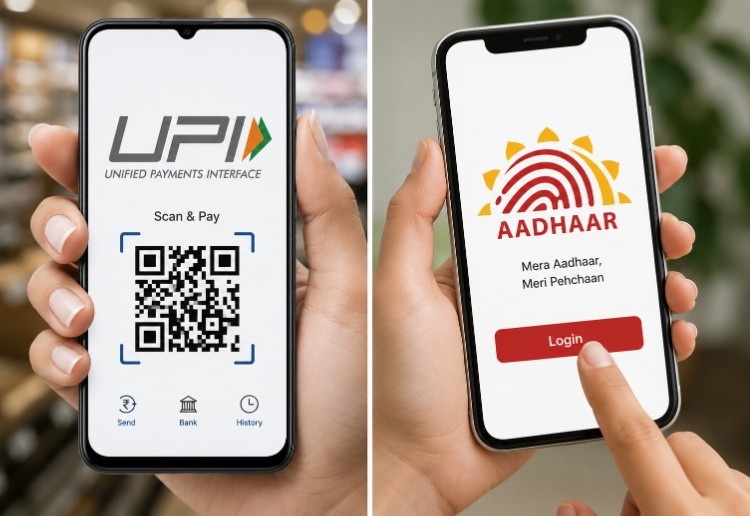
Several major Indian banks now allow users to set up UPI using their Aadhaar card instead of a debit card.
NPCI introduced this feature in September 2021 to make digital payments accessible to customers who do not own a debit card. Banks like SBI, HDFC, ICICI, PNB, Kotak Mahindra, and Canara Bank are among those supporting Aadhaar OTP for UPI PIN setup.
This article covers every bank on the Aadhaar UPI bank list and how to get started.
What Aadhaar-Based UPI Means for Users
Traditionally, setting a UPI PIN required entering the last six digits of your debit card number. This meant anyone without an active debit card could not use UPI at all.
Aadhaar-based UPI changes this. It lets you set or reset your UPI PIN using only your Aadhaar number and an OTP sent to your registered mobile.
This matters because millions of bank account holders in India do not have debit cards. As per Pradhan Mantri Jan Dhan Yojana data, out of 448.2 million accounts opened under the scheme, only 314.6 million had been issued debit cards. That left over 130 million customers without access to UPI.
Aadhaar-based onboarding solves this by using your Aadhaar identity as the verification method. You no longer need to visit a bank branch or request a debit card just to start using UPI.
How Aadhaar Is Used for UPI Registration and Verification
When you choose the Aadhaar option in a UPI app, the app connects with NPCI, which then coordinates with UIDAI on behalf of your bank to verify your identity.
Here is how the verification works:
1. You enter the first six digits of your Aadhaar number in the UPI app.
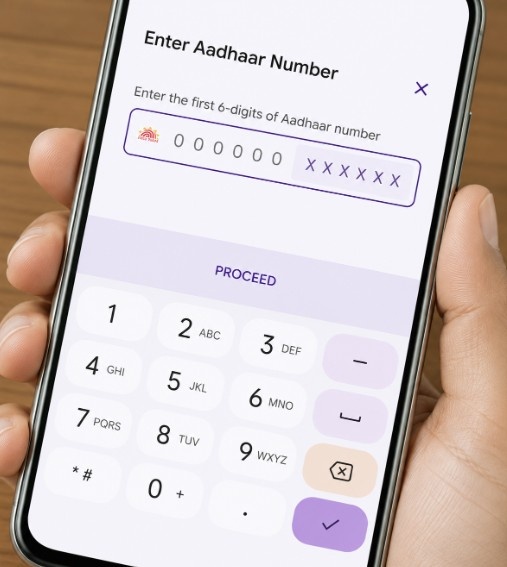
2. NPCI sends a verification request to UIDAI.
3. UIDAI sends an OTP to the mobile number linked to your Aadhaar.
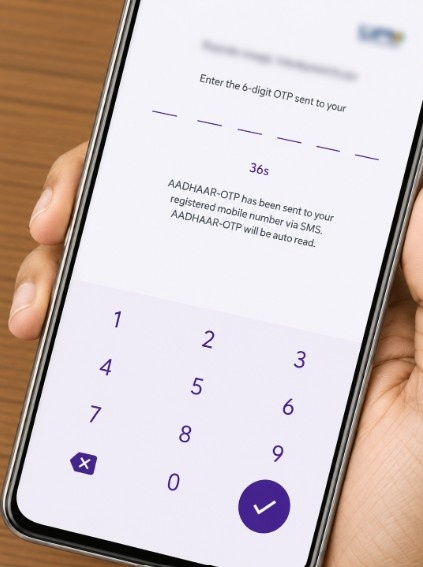
4. Your bank also sends a separate OTP to confirm identity.
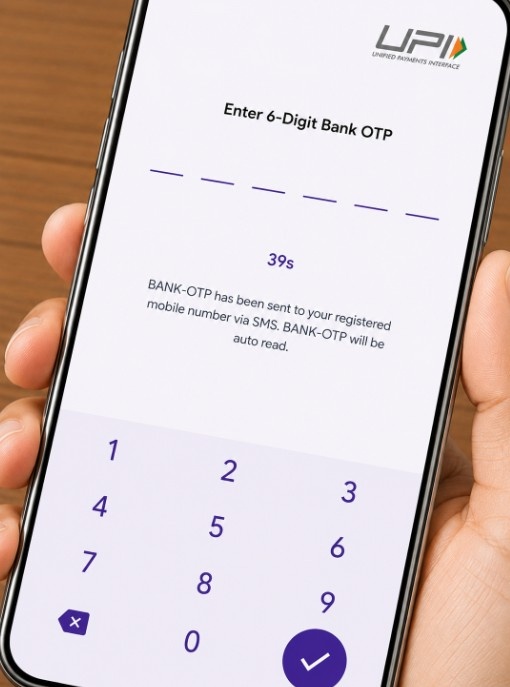
5. After both OTPs are verified, you set a new 4- or 6-digit UPI PIN.
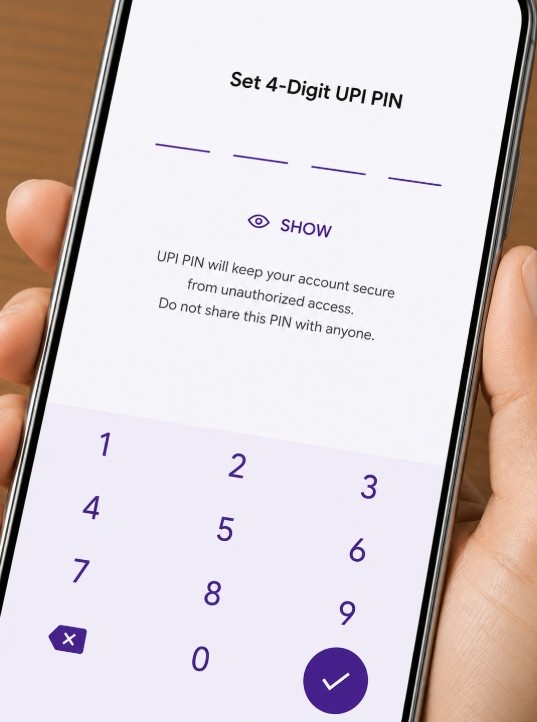
This two-layer OTP process ensures that only the rightful account holder can activate UPI. Understanding the differences between credit cards and debit cards also helps clarify why removing the debit card requirement was a significant step for financial inclusion.
Prerequisites for Aadhaar-Based UPI Setup
Before attempting Aadhaar-based UPI registration, make sure the following requirements are in place. Missing even one of these will cause the setup to fail.
| Requirement | Why It Matters |
|---|---|
| Aadhaar linked to bank account | Bank verifies your identity via UIDAI |
| Same mobile number on Aadhaar and bank account | Both OTPs are sent to this number |
| Active mobile number | OTP delivery will fail on inactive numbers |
| Smartphone with a UPI app | Aadhaar OTP setup works only through mobile apps |
| Bank supports Aadhaar OTP | Not all banks have enabled this feature yet |
If your Aadhaar mobile number differs from your bank-registered number, update it at an authorized Aadhaar enrolment centre before proceeding.
Banks Supporting Aadhaar-Based UPI Services in India
Not every bank on UPI supports Aadhaar-based onboarding. While 703 banks are live on UPI as of FY 2025-26, only a subset has enabled the Aadhaar OTP option.
NPCI maintains an official list of live banks supporting Aadhaar OTP for UPI onboarding. This list is updated as more banks go live.
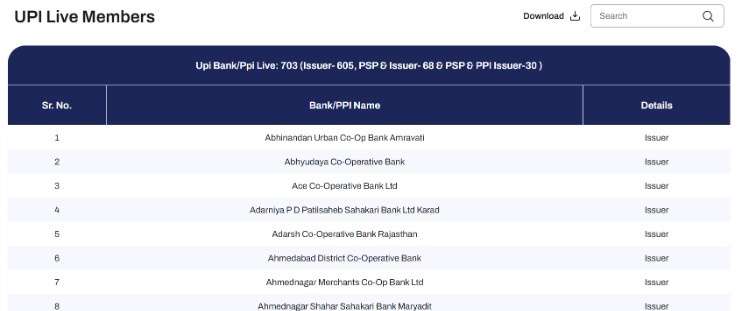
The banks that have enabled this feature span public sector banks, private banks, small finance banks, and payments banks. Major banks like SBI, HDFC, ICICI, and Kotak Mahindra were added to the NPCI list after an initial rollout among smaller banks.
Complete Aadhaar UPI Bank List (All Supported Banks)
Below is a consolidated list of banks confirmed to support Aadhaar OTP for UPI PIN setup, based on the NPCI Aadhaar OTP live member banks page and verified reports.
Public Sector Banks
| No. | Bank Name | Aadhaar OTP Status |
|---|---|---|
| 1 | State Bank of India (SBI) | Supported |
| 2 | Punjab National Bank (PNB) | Supported |
| 3 | Canara Bank | Supported |
| 4 | Union Bank of India | Supported |
| 5 | Central Bank of India | Supported |
| 6 | Indian Bank | Supported |
| 7 | UCO Bank | Supported |
| 8 | Punjab and Sind Bank | Supported |
| 9 | Indian Overseas Bank (IOB) | Supported |
Private Sector Banks
| No. | Bank Name | Aadhaar OTP Status |
|---|---|---|
| 1 | HDFC Bank | Supported |
| 2 | ICICI Bank | Supported |
| 3 | Kotak Mahindra Bank | Supported |
| 4 | Axis Bank | Supported |
| 5 | IndusInd Bank | Supported |
| 6 | Federal Bank | Supported |
| 7 | Karnataka Bank | Supported |
Small Finance Banks and Payments Banks
| No. | Bank Name | Aadhaar OTP Status |
|---|---|---|
| 1 | AU Small Finance Bank | Supported |
| 2 | Equitas Small Finance Bank | Supported |
| 3 | Suryoday Small Finance Bank | Supported |
| 4 | Paytm Payments Bank | Supported |
| 5 | India Post Payments Bank | Supported |
| 6 | Fino Payments Bank | Supported |
Cooperative and Regional Rural Banks
| No. | Bank Name | Aadhaar OTP Status |
|---|---|---|
| 1 | Cosmos Co-operative Bank | Supported |
| 2 | Kerala Gramin Bank | Supported |
| 3 | Karnataka Gramin Bank | Supported |
Important note: This list is not exhaustive. NPCI continues to add banks, and some banks may have enabled the feature without a formal listing. Always verify through your UPI app or your bank’s customer care for the latest status. Banks like Bank of Baroda and Bank of India have not yet confirmed Aadhaar OTP support for UPI and still require debit card verification.
How to Check If Your Bank Supports Aadhaar-Based UPI Setup
There are three reliable ways to verify whether your bank supports this feature:
- Check in your UPI app. Open Google Pay, PhonePe, Paytm, or BHIM. Go to bank account settings and try setting your UPI PIN. If you see an option that says “Set UPI PIN using Aadhaar,” your bank supports it.
- Visit the NPCI website. The NPCI Aadhaar OTP live banks page lists all officially supported banks.
- Contact your bank. Call customer care or visit your nearest branch. Ask specifically about Aadhaar OTP support for UPI PIN setup.
If your bank does not support Aadhaar OTP yet, you will need to use a debit card to set your UPI PIN. You can also check your card balance through your banking app to confirm your debit card is active before using it for UPI setup.
How to Register for UPI Using Aadhaar
Once you have confirmed that your bank supports Aadhaar OTP, follow these steps to register:
1. Download a UPI app such as BHIM, Google Pay, PhonePe, or Paytm from the Google Play Store or Apple App Store.
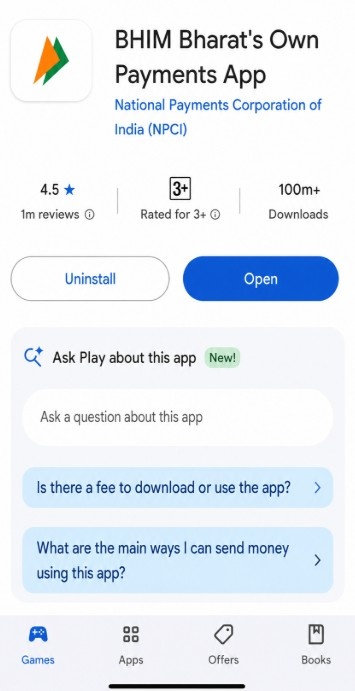
2. Open the app and register using the mobile number linked to your bank account.
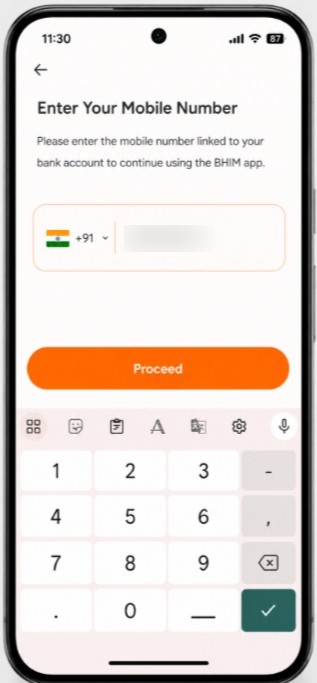
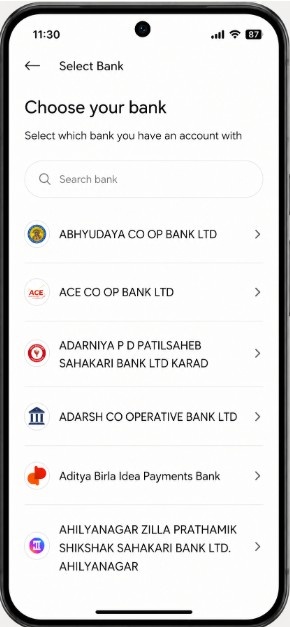
3. Add your bank account by selecting your bank from the list within the app.
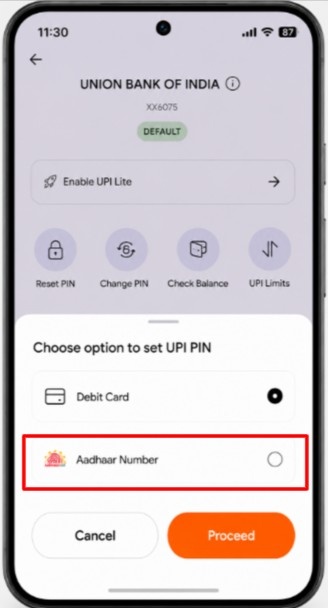
4. When prompted to set your UPI PIN, choose the “Aadhaar OTP” option instead of the debit card option.
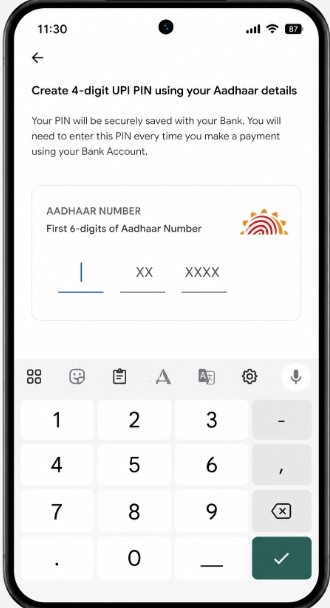
5. Enter the first six digits of your Aadhaar number.
6. You will receive two OTPs: one from UIDAI and one from your bank. Enter both in the designated fields.
7. Create a 4- or 6-digit UPI PIN. Confirm it by entering it again.
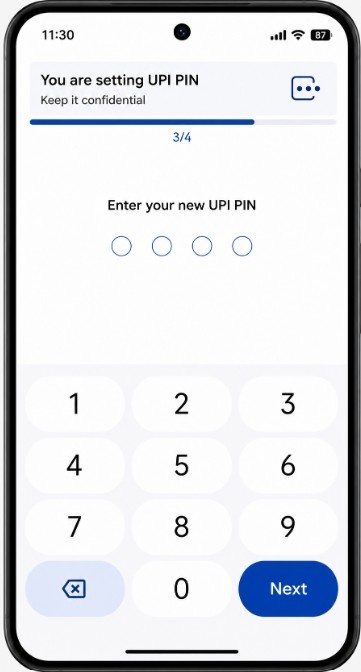
Step 8: Your UPI PIN is now set. You can start sending and receiving money immediately.
Try a small test transaction with a friend or family member to confirm that everything works correctly. If the transaction goes through, your setup is complete.
UPI Apps That Support Aadhaar OTP
Not every UPI app may offer the Aadhaar OTP option even if your bank supports it. The availability depends on whether the app has integrated the feature.
| UPI App | Aadhaar OTP Support |
|---|---|
| BHIM (by NPCI) | Yes |
| Google Pay | Yes |
| PhonePe | Yes |
| Paytm | Yes |
| Bank-specific apps (YONO, iMobile, etc.) | Varies by bank |
If your preferred app does not show the Aadhaar option, try using the BHIM app, which is developed by NPCI itself and typically supports the feature for all listed banks.
Common Issues While Using Aadhaar for UPI Activation
Several users face problems during Aadhaar-based UPI setup. Here are the most common issues and how to fix them:
- OTP not received: This usually happens when the mobile number in your Aadhaar records is different from the one registered with your bank. Both numbers must match. Update your Aadhaar mobile number at an authorized enrolment centre if needed.
- “Aadhaar authentication failed” error: This occurs when your Aadhaar is not seeded (linked) with your bank account. Visit your bank branch and request Aadhaar seeding before trying again.
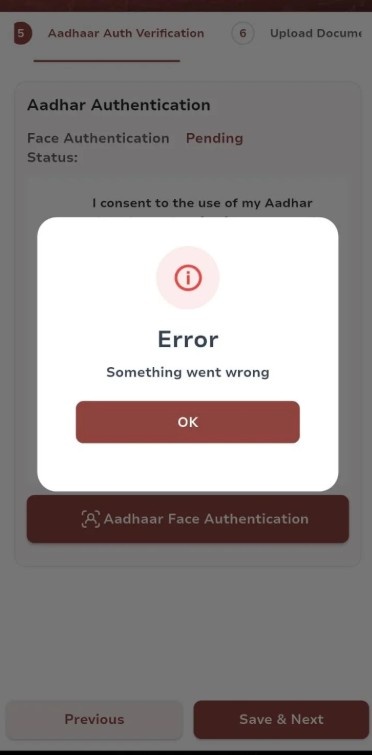
- Aadhaar option not visible in the app: Your bank may not yet support this feature. Try a different UPI app like BHIM, or use the debit card method instead.
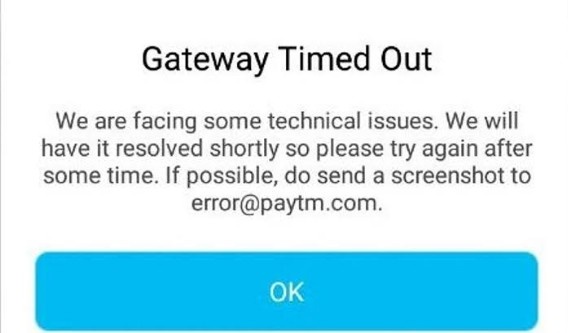
- Bank server timeout: Try during non-peak hours, such as early morning or late evening. Server congestion during peak hours can cause failures.
Benefits of Aadhaar-Linked UPI Banking
Aadhaar-based UPI brings several practical advantages, especially for users in semi-urban and rural areas.
- No debit card needed: This is the biggest benefit. Users who have a bank account but no active debit card can still use UPI for payments. This is particularly useful for Jan Dhan account holders.
- Faster onboarding: The entire setup takes under five minutes. There is no need to wait for a debit card to arrive by post, which can take weeks in rural areas.
- Financial inclusion: NPCI designed this feature specifically to bring unbanked and underbanked citizens into the digital payments ecosystem. With Aadhaar available to nearly all Indian citizens, the barrier to entry is much lower.
- Secure two-factor authentication: The process requires OTPs from both UIDAI and your bank, adding dual verification that protects against unauthorized access.
- Works for PIN reset too: If you forget your UPI PIN, you can reset it using Aadhaar OTP instead of hunting for your debit card details. This makes ongoing UPI usage more convenient.
For users who prefer card-based digital payments alongside UPI, understanding the advantages of credit cards can help you choose the right payment method for different situations.
Conclusion: Most major Indian banks support Aadhaar-based UPI PIN setup
Aadhaar-based UPI onboarding has made digital payments accessible to millions of Indians who previously could not use UPI due to the debit card requirement.
With banks like SBI, HDFC, ICICI, PNB, and Kotak Mahindra now supporting this feature, setting up UPI takes just minutes using your Aadhaar number and a mobile OTP.
Always confirm your bank’s support through the NPCI website or your UPI app before starting the process.
FAQs
Yes, but with restrictions. Axis Bank’s UPI guidelines note that minor accounts have a cumulative debit limit of Rs 1,500 per 24 hours. Features like UPI Lite, mandates, and recurring payments are not available for minors.
Yes. The Aadhaar OTP option is available regardless of whether you have a debit card. You can choose either method based on convenience.
No. NPCI has confirmed that there is no charge for setting a UPI PIN using Aadhaar OTP.
Yes. AePS uses biometric authentication (fingerprint or iris scan) for basic banking at micro-ATMs. Aadhaar-based UPI uses OTP authentication for setting or resetting your UPI PIN in a mobile app. They are two separate systems managed by NPCI.
The setup will fail. Both numbers must be identical. Update your Aadhaar mobile number at a UIDAI enrolment centre or update your bank-registered number through your bank to resolve this.