

Bank of India UPI is a digital payment service that allows customers to send and receive money instantly using their mobile phones. It eliminates the need to share bank account details and works 24/7 for peer-to-peer and merchant payments.
BOI UPI lets users pay via a Virtual Payment Address (VPA), scan QR codes, or request money quickly. It also works with popular UPI apps like Google Pay, PhonePe, and Paytm for added convenience.
In this article, we will look at the key features of Bank of India UPI, how it works, the registration process, transaction limits, security measures, and tips for troubleshooting common issues to ensure a seamless payment experience.
Bank of India UPI Services: Overview
Bank of India UPI services provide a secure and instant way to send and receive money using a mobile phone. Transactions are fast, convenient, and do not require sharing account details.
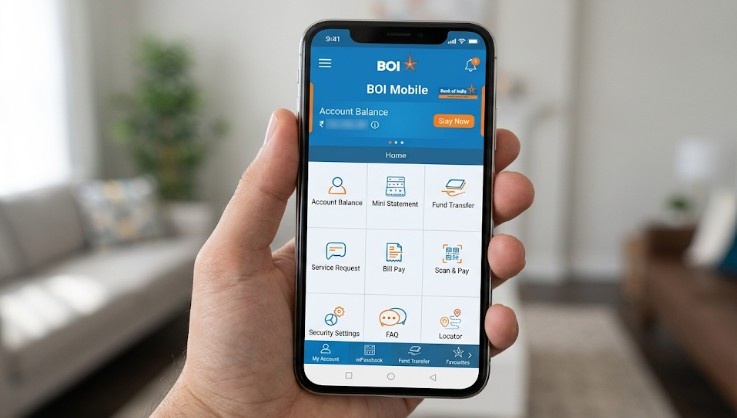
BOI UPI allows seamless peer-to-peer (P2P) transfers, peer-to-merchant (P2M) payments, collect requests, QR code payments, and the use of a Virtual Payment Address (VPA) for added security.
The service works through the BOI Mobile/Omni Neo app and is compatible with popular UPI apps such as Google Pay, PhonePe, and Paytm. Payments are available 24/7, anytime and anywhere.
Key Features of Bank of India UPI
Bank of India UPI offers several features that make digital payments fast, secure, and convenient.
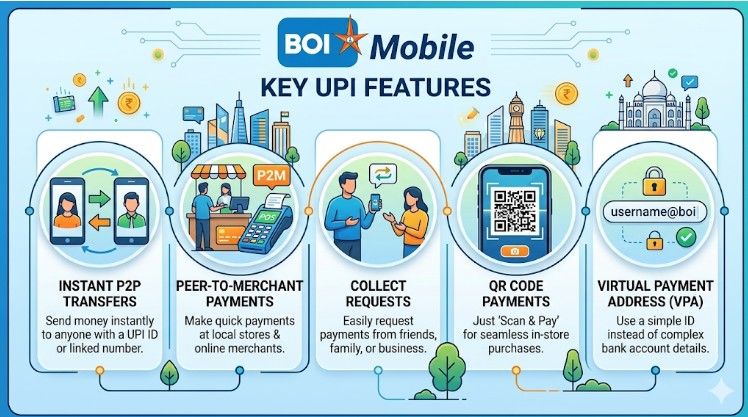
It simplifies money transfers, merchant payments, and daily transactions for all users.
Instant P2P Money Transfers
- Send money instantly to friends or family using your UPI ID or VPA.
- Transfers are secure, real-time, and available 24/7 for hassle-free payments.
Peer-to-Merchant (P2M) Payments
- Pay merchants online or offline quickly using UPI for shopping and bills.
- Transactions are safe, fast, and do not require sharing bank details.
Collect Requests
- Request money from contacts instantly using UPI ID or Virtual Payment Address.
- Notifications alert the sender, ensuring easy approval and smooth transaction flow.
QR Code Payments
- Scan merchant QR codes for instant and contactless payments anywhere in India.
- This method is convenient, secure, and widely accepted by merchants nationwide.
Virtual Payment Address (VPA)
- Use a UPI ID instead of an account number and IFSC for safer payments.
- VPA simplifies sending and receiving money while maintaining privacy and security.
With these features, Bank of India UPI ensures a secure, fast, and convenient way to manage digital payments. Next, we will explain how Bank of India UPI works step by step.
How Does BOI UPI Look Like?
The Bank of India UPI interface is simple, user-friendly, and designed for quick transactions. It is accessible through the BOI Mobile / Omni Neo app as well as other UPI apps like Google Pay, PhonePe, and Paytm.
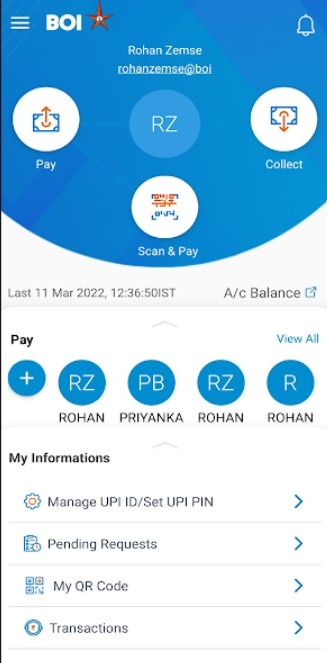
The main dashboard typically displays key options such as:
- Send Money: Transfer funds using a UPI ID, mobile number, or bank details
- Scan & Pay: Instantly pay merchants by scanning QR codes
- Request Money: Send collection requests to receive payments
- Transaction History: View all past payments and track status in real time
- Account Balance: Check your linked bank account balance securely
How Bank of India UPI Works
Bank of India UPI works by linking your bank account to a Virtual Payment Address (VPA). It allows secure, instant money transfers, merchant payments, and collection requests using mobile apps.
Step 1: Register and Link Your BOI Account
To start using BOI UPI, add your Bank of India account to the BOI Mobile / Omni Neo app or any UPI-supported app for seamless digital transactions.
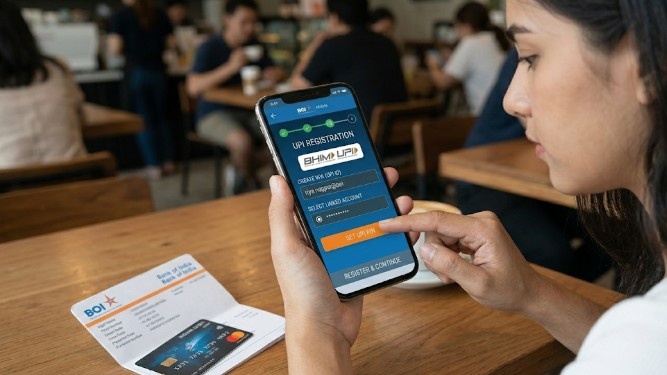
Step 2: Create Your UPI ID (VPA)
Set up a unique UPI ID (VPA), such as name@boi. This serves as your digital identifier, allowing you to send and receive money without sharing account details.
Step 3: Set a UPI PIN
Create a 4–6-digit UPI PIN linked to your account. The PIN authenticates every transaction, ensuring secure and authorized payments every time you use BOI UPI.
Step 4: Send or Receive Money
You can send money to friends or family using a UPI ID, scan QR codes at merchants, or approve collect requests instantly through the BOI Mobile app or other UPI apps.
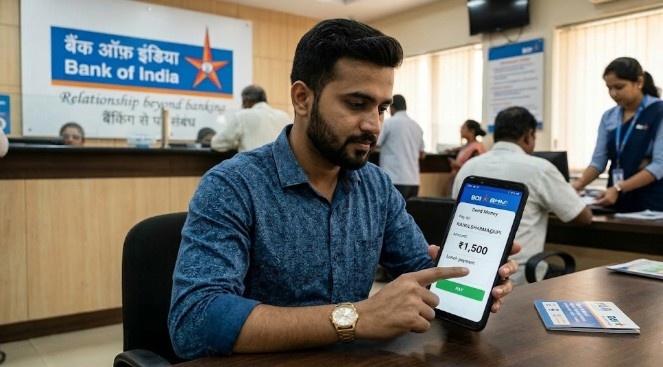
Step 5: Get Transaction Confirmation
All transactions are confirmed in real time. You can also easily track your payment history, ensuring transparency and helping you reconcile digital payments quickly.
How to Register and Activate Bank of India UPI
Registering for Bank of India UPI is simple and quick. Linking your account, creating a UPI ID, and setting a PIN allow you to send and receive money instantly.
Step 1: Download the BOI Mobile / Omni Neo App
Install the BOI Mobile / Omni Neo app from the Google Play Store or Apple App Store. Ensure you download the official app for secure registration.

Step 2: Link Your Bank Account
Add your Bank of India account by verifying your registered mobile number. This links your account to the UPI system for seamless transactions.
Step 3: Create Your UPI ID (VPA)
Set up a unique UPI ID (VPA), such as name@boi. This ID will be used to send and receive money securely.
Step 4: Set Your UPI PIN
Create a 4–6-digit UPI PIN to authorize transactions. This ensures secure payments for every transfer using Bank of India UPI.
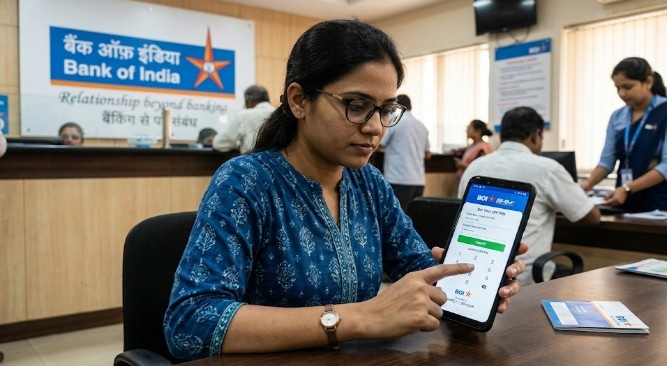
Step 5: Complete Registration
Confirm all details in the app. Once verified, your account is ready, and you can start making instant payments using Bank of India UPI.
Note: BOI UPI also works with popular apps like Google Pay, PhonePe, and Paytm, as well as the BOI Mobile app, for added convenience.
Transaction Limits and Charges on BOI UPI
Understanding Bank of India UPI transaction limits and charges helps customers manage payments efficiently. It ensures safe, fast transfers without unexpected restrictions or fees.
| Transaction Type | Per Transaction Limit | Daily Limit (24 Hours) |
|---|---|---|
| Standard P2P (Peer-to-Peer) | ₹1,00,000 | ₹1,00,000 |
| Standard P2M (Merchant) | ₹1,00,000 | ₹1,00,000 |
| Verified Higher Categories* | ₹5,00,000 | ₹5,00,000 |
| New UPI Users (First 24 hrs) | ₹5,000 | ₹5,000 |
| UPI Lite (Small Payments) | ₹1,000 | ₹10,000 (Cumulative) |
Security Features of BOI UPI
Bank of India UPI is designed with multiple security measures to keep your digital payments safe.
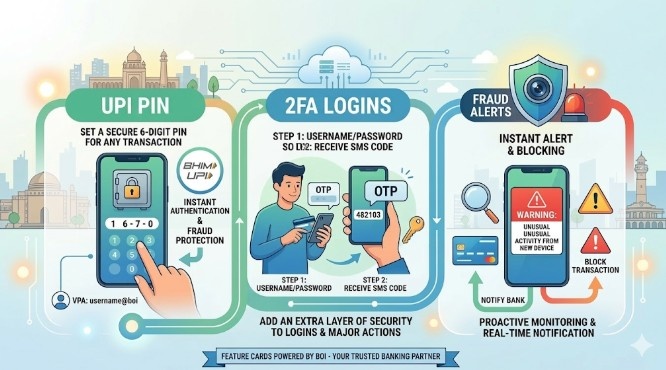
These features protect your money, privacy, and account from unauthorized access or fraud.
- UPI PIN: Every transaction requires a 4–6-digit UPI PIN, ensuring that only the account holder can authorize payments and adding a strong layer of security to every transfer.
- 2FA: Bank of India UPI combines mobile verification and UPI PIN authentication. This two-factor process prevents unauthorized access and ensures only verified users can complete transactions.
- VPA: All transactions are done using a Virtual Payment Address (VPA) instead of bank account numbers. This keeps your sensitive banking information private during transfers.
- Encryption: BOI UPI transactions are encrypted and comply with RBI and NPCI security standards. Encryption prevents hacking and ensures data remains secure while in transit.
- Fraud Alerts: Users receive real-time notifications for all transactions. Suspicious activity triggers immediate alerts, helping detect and prevent potential fraud quickly and effectively.
Common BOI UPI Issues and Troubleshooting
Even with a reliable platform like Bank of India UPI, users may face occasional issues. Knowing common problems and solutions ensures smooth digital payments every time.
- Failed Transactions: Sometimes payments fail due to a low balance, network issues, or an incorrect UPI ID. Retry the transaction after checking your account balance.
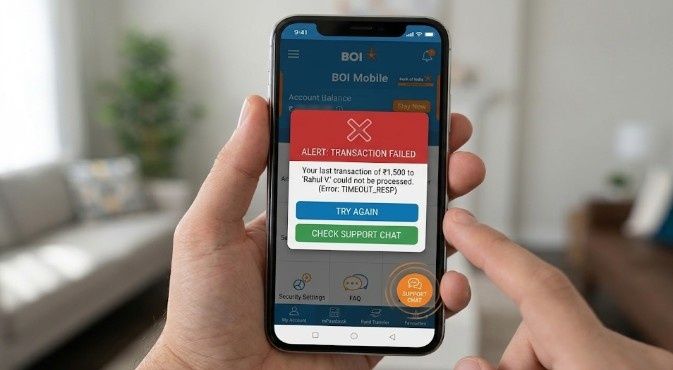
- UPI PIN Not Working: A forgotten or blocked UPI PIN can prevent transactions. Reset your PIN safely through the BOI Mobile or Omni Neo app.
- Money Debited but Not Credited: Delays may occur due to server issues or bank processing. Contact BOI support and check your transaction status immediately.
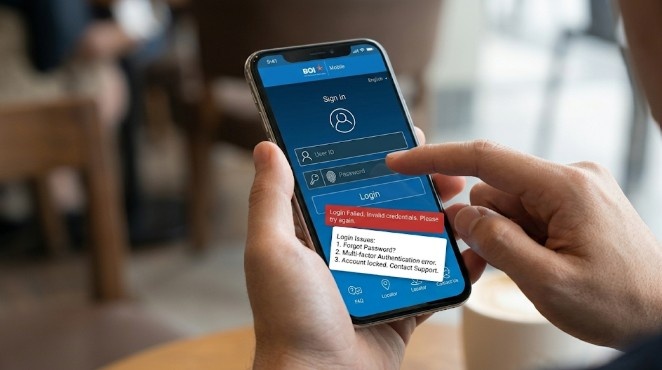
- App Crashes or Login Issues: Mobile app problems often stem from outdated versions or cache issues. Update the app or clear the cache to resolve errors.
- QR Code Payment Failure: Scanning errors may occur if the QR code is damaged or the internet connection is weak. Retry scanning or check network stability.
Conclusion: BOI UPI is Secure and Convenient
Bank of India UPI offers a fast, reliable, and secure platform for digital payments, making transfers, merchant payments, and everyday transactions seamless across India.
With features such as VPA, UPI PIN, 2FA, and real-time alerts, BOI UPI ensures secure transactions. Knowing limits and charges helps manage payments effectively.
By understanding registration, activation, troubleshooting, and security measures, users can maximize convenience and confidence while using BOI UPI for all personal and business digital transactions.
FAQs
Bank of India UPI is a digital payment platform that allows instant transfers using a UPI ID or VPA. It works via the BOI Mobile app or popular UPI apps.
Yes. BOI UPI can be linked to the BOI Mobile/Omni Neo app, as well as to other apps such as Google Pay, PhonePe, and Paytm, giving users flexible payment options.
Most peer-to-peer and merchant transactions through BOI UPI are free. Some P2M payments may involve merchant fees, but P2P and collect requests are generally free.
Check your transaction status in the BOI Mobile app, wait a few minutes for processing, and contact Bank of India customer support if the issue persists.
BOI UPI uses UPI PIN, two-factor authentication, VPA, and encryption to ensure transactions are secure. Real-time alerts and fraud detection add an extra layer of protection.