

To unblock your UPI ID, reset your UPI PIN in your payment app’s settings, or contact your bank’s customer care if the issue persists. Most UPI blocks aren’t permanent; they’re security triggers designed to protect your money.
I know the panic that sets in when your payment fails at a checkout counter, but take a breath. Your funds are completely safe.
In this article, i will walk you through why UPI IDs get blocked, how to unblock them, and what you can do to prevent future lockouts. Whether you’re using GPay, PhonePe, or Paytm, we’ve got app-specific fixes ready.
Why Is My UPI ID Blocked? (Common Causes)
According to NPCI UPI payment new rules in 2026, including enhanced security protocols for transactions above ₹2,000 and mandatory device binding. These protective measures can sometimes trigger unexpected blocks.
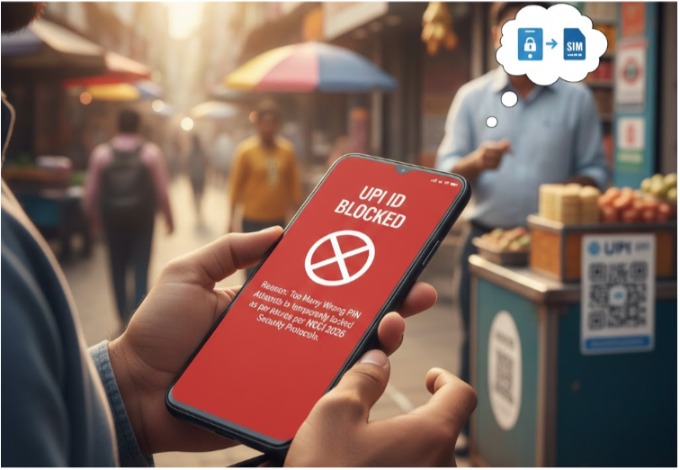
Here are the most common culprits:
- Too Many Wrong PIN Attempts: Enter the wrong PIN three times, and most apps auto-block for security reasons.
- App/Bank System or Server Issues: Server downtime or maintenance can temporarily disable UPI functionality without warning you.
- Security or Suspicious Activity Detection: Unusual transaction patterns or login from new devices trigger NPCI’s fraud detection.
- Inactive or Changed Linked Account/Number: IDs unused for over a year get deactivated under 2026 NPCI guidelines automatically.
Here’s what most people don’t know: changing your SIM card or switching banks activates a mandatory 24-hour cooling period. During this window, your UPI won’t work even if everything else seems fine.
How to Unblock UPI ID (App-Specific Steps)
The unblocking process isn’t complicated, but you need to follow the right sequence. Most blocks resolve within minutes if you know which button to press in your specific app.
Here are the steps to unblock UPI ID based on what typically works fastest for users:
1. Google Pay
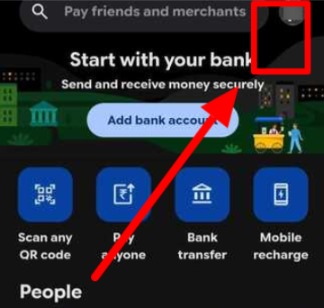
Step 1: Tap your profile icon in the top-right corner.
Step 2: Select Payment methods.
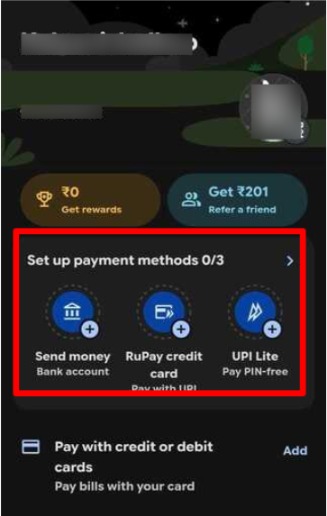
Step 3: Choose the blocked bank account.
Step 4: Tap Forgot UPI PIN.
Step 5: Verify your identity using debit card details (last 6 digits and expiry date).
Step 6: Set a new UPI PIN; your account will be unblocked instantly.
2. PhonePe
Step 1: Tap your profile picture.
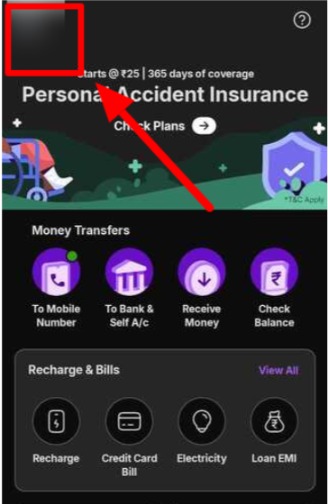
Step 2: Go to manage Payment or Bank Accounts.
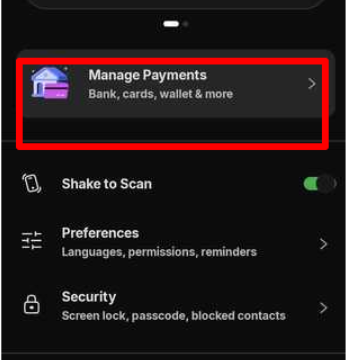
Step 3: Select the affected bank account.
Step 4: Tap Reset UPI PIN.
Step 5: Authenticate using your debit card credentials.
If the reset option isn’t showing: Open the Help section at the bottom, type “UPI blocked” in the search bar, and follow the troubleshooting guide provided.
3. Paytm
Step 1: Go to Bank Accounts from the home screen.
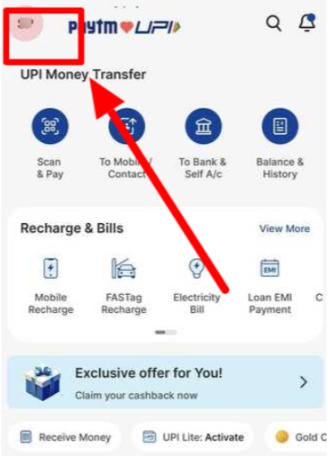
Step 2: Select your blocked bank account.
Step 3: Tap the three-dot menu icon.
Step 4: Choose Reset UPI PIN.
Step 5: Complete verification using your ATM card details.
If you see “Account Blocked”: Navigate to Help & Support, select UPI Issues, and submit an unblock request. Support typically responds within 30 minutes.
Important: If you’ve recently re-linked your bank account or changed your SIM card, you’re required to wait the mandatory 24-hour cooling-off period to verify your credentials across the network.
Safety Tips While Unblocking UPI ID
Security protocols exist for good reason, and circumventing them creates bigger problems than a temporary block.
Here are the safety tips to prevent UPI ID blocking in the future:
- Money and bank account remain secure during the block; no funds can move without your authentication.
- Never share UPI PIN or OTP with anyone, including people claiming to be bank officials.
- Only use official apps or verified bank support; fraudsters exploit panic during payment failures.
The 2026 device binding requirement means your UPI is now tied to your specific phone’s hardware signature. If someone contacts you asking for device details, it’s a scam. Banks never request this information.
Related Read:
Conclusion: You Can Unblock UPI ID by Resetting Your PIN or Contacting Bank Support
Most UPI blocks stem from wrong PIN attempts or the new 24-hour cooling period after account changes.
The fastest route? Reset your PIN directly through your payment app’s settings. If that doesn’t work within 10 minutes, your bank’s customer care can manually lift the block.
Your UPI will be working again soon if you follow these steps carefully. The security measures might feel annoying right now, but they’re keeping your money safer than ever.
FAQs
Wait 24 hours for auto-unlock, or reset your UPI PIN immediately through your app’s bank account settings to restore access faster.
PIN resets work instantly, but cooling periods require 24 hours. Bank-side blocks may take 2-3 hours, depending on verification queue times.
Security triggers from wrong PINs, suspicious activity, account changes, or NPCI’s 2026 inactivity rules automatically disable IDs for your protection.
Open GPay, tap profile, select “Payment methods,” choose your bank, then “Forgot UPI PIN” to reset and effectively unblock your account.
Use your payment app’s settings to reset your PIN, or log in to your bank’s net banking portal under UPI services.