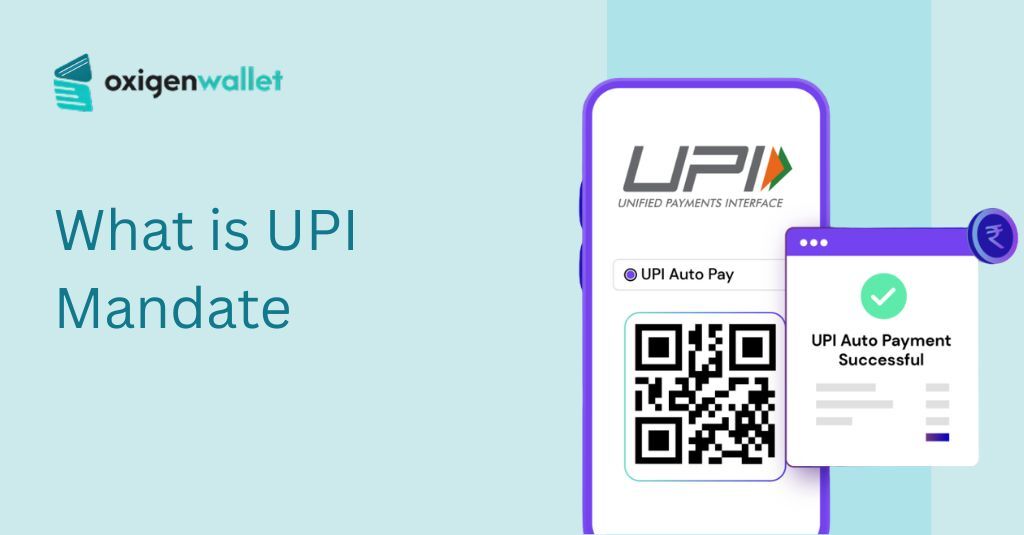


A UPI Mandate is a standing instruction that you set up once in your UPI app. It allows merchants to automatically deduct or block money from your bank account for future payments.
You don’t need to approve each transaction after the setup. The terms “UPI Mandate” and “UPI AutoPay” mean the same thing.
Both refer to this feature that makes recurring payments work without you having to remember due dates or transfer money manually every time. Below is a detailed explanation of everything related to UPI mandates.
How the UPI Mandate Works?
The system operates using two methods, depending on what kind of payment you’re making.
Block (Lien): This method is used when you apply a mandate for IPOs. The money stays in your bank account, but you cannot use it for anything else.
It gets locked. Once the IPO allotment results are announced, the system either deducts the amount or releases the blocked money back to you.
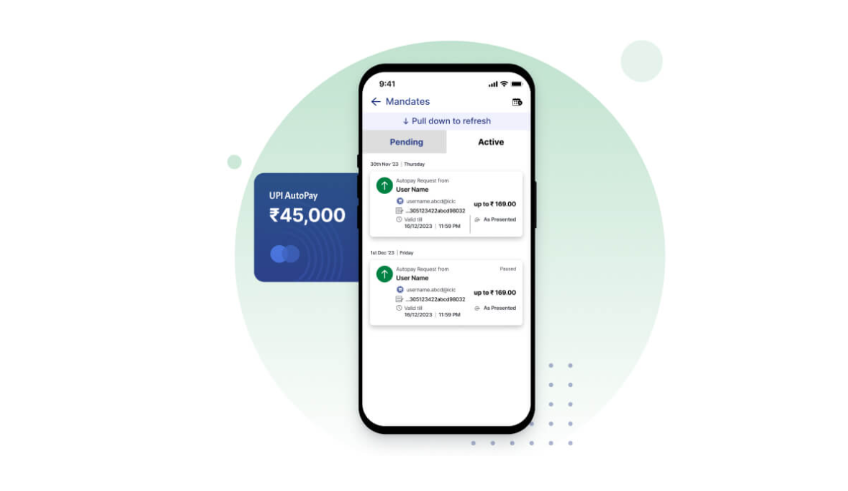
Debit: This method is used for services like Netflix subscriptions, mutual fund SIPs, electricity bills, or rent payments.
The money gets deducted from your account on a date each month without you having to do anything.
Here’s how UPI Mandate compares to other payment methods:
| Feature | UPI Mandate | E-NACH (Bank) | Credit Card Auto-Pay |
|---|---|---|---|
| Setup Time | Instant | 2–7 Days | 1–2 Days |
| Control | Pause/Cancel via App | Requires Bank Visit | Requires Merchant App |
| PIN Required | Yes (During setup) | No (OTP only) | No (OTP for setup) |
UPI Mandate can be set up instantly through your phone. You also have control to pause or cancel it anytime without visiting a bank branch or calling customer service.
Source: NPCI
UPI Mandate Limits And Charges in 2026
Different types of transactions have different limits under the UPI Mandate system. The UPI transaction limits are set by banks and NPCI.
| Category | Standard Limit | High-Value Limit (Special) |
|---|---|---|
| General (Subscriptions/Bills) | Up to ₹15,000 | N/A |
| Insurance & Education | N/A | Up to ₹5 Lakhs |
| Mutual Fund SIPs | Up to ₹15,000 | Up to ₹5 Lakhs |
| IPO Applications | N/A | Up to ₹5 Lakhs |
The ₹5 Lakh limit applies only to Verified Merchants. If you are paying an unverified entity, the standard ₹1 Lakh limit usually applies.
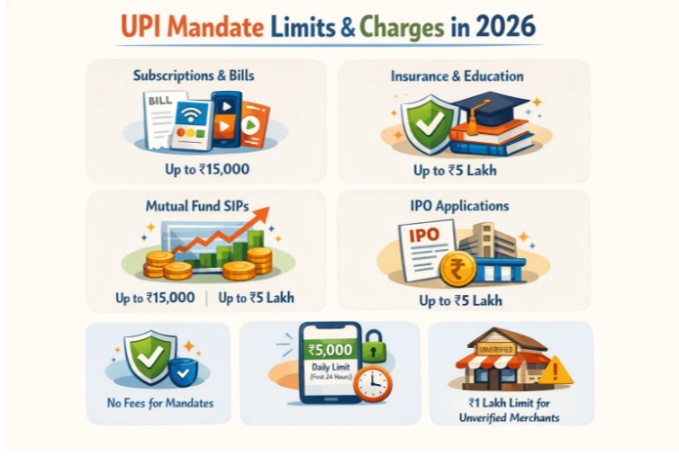
If you have just registered for UPI, your limit is restricted to ₹5,000 for the first 24 hours to prevent fraud. All of this is according to the new UPI rules in 2026.
Creating or canceling a UPI Mandate is free. UPI apps and banks do not charge any fees for setting up or managing mandates.
How To Set Up UPI Mandate?
Most mandates are started on a merchant’s app, like Netflix or Zerodha. You then approve them in your UPI app.
Here is how to set up UPI Mandate:
Step 1: Initiate on the Merchant App: Select “UPI AutoPay” or “Recurring Payment” as your payment method.
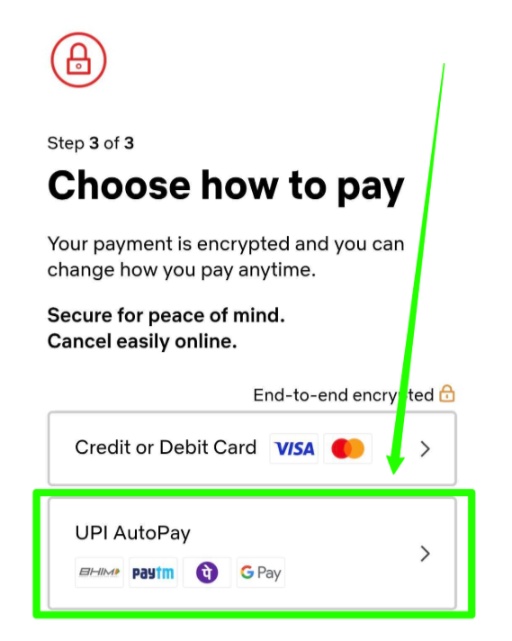
Step 2: Enter UPI ID: Enter UPI ID or select the UPI app you want to pay from.
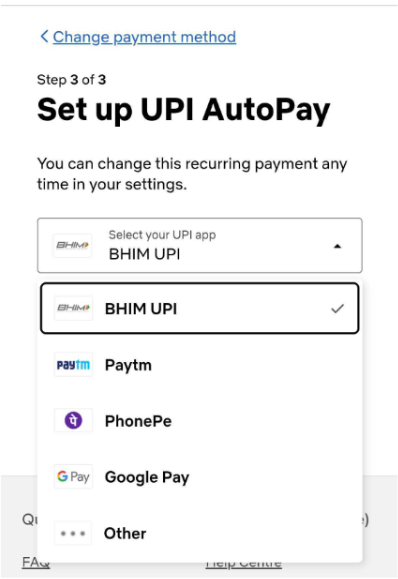
Step 3: Check Notifications: Open your UPI app. You’ll receive a push notification or see a pending request in the Mandates or AutoPay section.
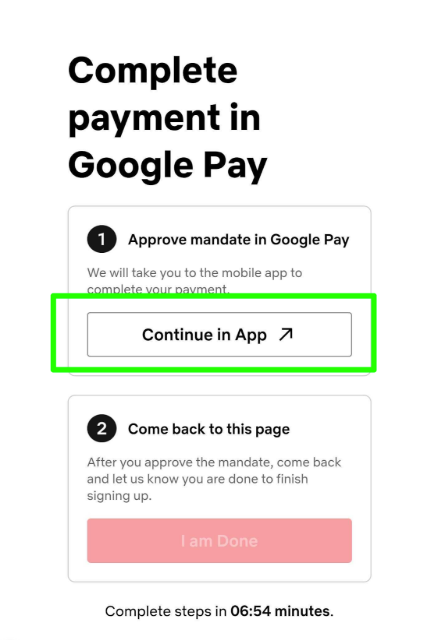
Check the merchant name, maximum debit amount, and frequency, such as Monthly or Yearly. Tap Approve or Set Up AutoPay and enter your UPI PIN.
For many services, a small amount like ₹1 or ₹2 might be debited and then refunded to verify your account.
Where to Find Mandates in Your App?
If you missed the notification, you can find the pending request here:
| App | Navigation Path |
|---|---|
| Google Pay | Tap Profile Picture (Top Right) → Autopay |
| PhonePe | Tap Profile Icon (Top Left) → Mandates (under Payment Settings) |
| Paytm | Tap Profile→ UPI & Payment Settings → UPI Automatic Payments |
| BHIM | Look for the Mandates icon directly on the Home Screen |
You can set a “Max Amount.” For example, if your bill is usually ₹500, you can set a limit of ₹1,000.
If you’re going on vacation and want to skip a gym payment, many apps now allow you to “Pause” a mandate for a period instead of deleting it completely.
How to Cancel a UPI Mandate (Step-by-Step)
Use the same UPI app where you created the mandate. This makes the process smoother. Each app has a different interface, but the steps remain similar.
Step 1: Open the app and tap your Profile Icon.
Step 2: Look for the “Payment Settings” section and select “Autopay.”
Step 3: Choose the merchant or service whose mandate you want to cancel.
Step 4: Tap “Remove Autopay” at the bottom and enter your UPI PIN to confirm.
You will receive a notification once the mandate is canceled. Always be aware of GST on UPI transactions so that you don’t face unexpected expenses.
UPI Mandate Risks And Security Measures
UPI Mandates make life easier, but you need to stay alert about the risks that come with automatic payments.
1. Phishing Scams: Fraudsters send fake mandate requests that look like payment requests. They might claim you’re getting a refund or a reward.
When you approve these requests, you’re actually authorizing them to deduct money from your account.
2. Ghost Mandates: These are mandates you set up months ago for services you no longer use. Maybe you canceled a streaming subscription but forgot to cancel the mandate.
The money keeps getting deducted every month without you noticing until you check your bank statement.
3. Safety Tip: Never enter your UPI PIN when someone claims they want to send you money. Receiving a payment never requires a PIN.
Only sending money or setting up a mandate requires PIN verification. If anyone asks for your PIN to complete a refund or credit transaction, it’s a scam.
Check your mandates at least once a month. This helps you spot any unauthorized mandates or forgotten subscriptions.
Related Read:
Conclusion: UPI Mandate Is A Standing Instruction For Automatic Recurring Payments!
UPI Mandates save you time by removing the need to remember payment dates or transfer money each month.
The system works through your phone and gives you control. You still need to stay aware of what mandates are on your account.
Set a reminder to check your “Active Mandates” section once every month. This habit ensures you aren’t paying for subscriptions you forgot to cancel or falling victim to fraudulent mandate requests.
FAQs
You authorize a merchant once through your UPI app by entering your PIN. After that, they can deduct money on scheduled dates without needing your approval each time.
Yes, you can cancel any mandate instantly through your UPI app. Go to the mandate section, select the one you want to stop, and confirm with your PIN.
It means the merchant can deduct up to ₹5,000 per transaction under that mandate. The amount depends on what you agreed to during the setup.
Open your UPI app and look for the Autopay or Mandates section in settings. All your mandates will appear there with their status.
The risks are phishing scams where fraudsters trick you into approving fake mandates, and ghost mandates where you forget to cancel subscriptions you no longer use.
No, UPI Mandates are free. Banks and UPI apps do not charge any fees for creating, managing, or canceling mandates on your account.