

You cannot extract a phone number from a UPI ID due to strict NPCI privacy rules. The exception is when the UPI ID itself is a phone number, like 9876543210@paytm.
NPCI designed the system to protect user privacy by keeping personal details hidden. But what about situations where you’ve made a wrong payment and need to reach the person for a refund?
Well, this article explains when phone numbers are visible, what information UPI IDs actually reveal, and the legitimate steps you can take if you sent money to the wrong person.
How to Get Phone Number from UPI ID – When You CAN See It
If someone created their UPI ID using their mobile number, you already have it. A UPI ID, which is also known as a Virtual Payment Address (VPA), is a unique digital identity that links directly to your bank account.
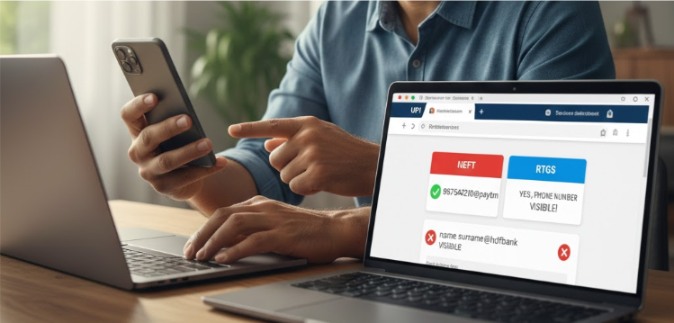
Formats like 9876543210@paytm or 9876543210@ybl show the complete number as the identifier itself. The user chose convenience over privacy.
| UPI ID Type | Example | Phone Number Visible? | Privacy Level |
|---|---|---|---|
| Phone-based | 9876543210@paytm | ✅ Yes (it IS the number) | Low |
| Phone-based | 9876543210@ybl | ✅ Yes (it IS the number) | Low |
| Custom/Name-based | rahul.sharma@oksbi | ❌ No | High |
| Custom/Name-based | mybusiness@paytm | ❌ No | High |
| Email-based | user@gmail.com@okicici | ❌ No | High |
Most users now prefer custom VPAs for better privacy. Banks actively encourage name-based identifiers during account setup to prevent exposure of sensitive contact information.
How to Get Mobile Number from Transaction ID – Wrong Payment Recovery Steps
You cannot retrieve a mobile number from a transaction ID. Banks and NPCI never share this data publicly.
But you still have options for recovery. Look, I understand the frustration of sending ₹5,000 to the wrong person. The system offers structured channels for resolution, though success isn’t guaranteed. Act within minutes if possible.
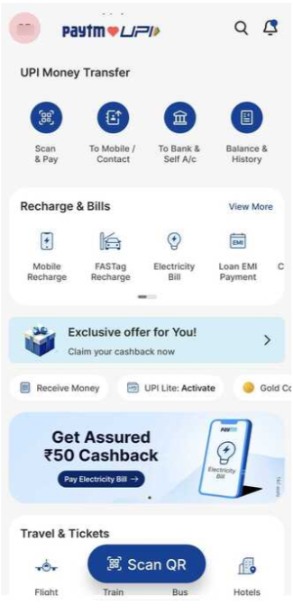
Step 1: Request a refund via the UPI App’s Support
Open your payment app, locate the transaction in history, and raise a dispute requesting an immediate refund.
Step 2: Contact Your Bank Immediately
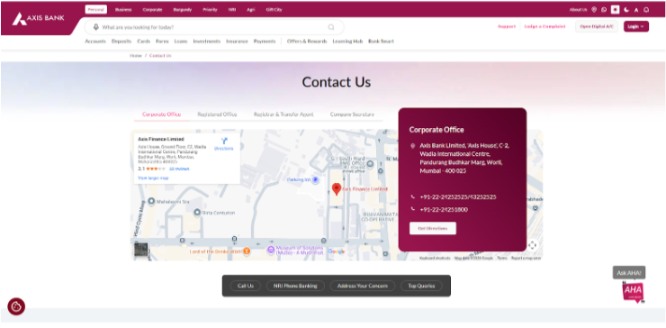
Call your bank’s customer service or visit the branch to file a formal complaint about the erroneous transaction.
Step 3: File NPCI Complaint (If Above Fails)
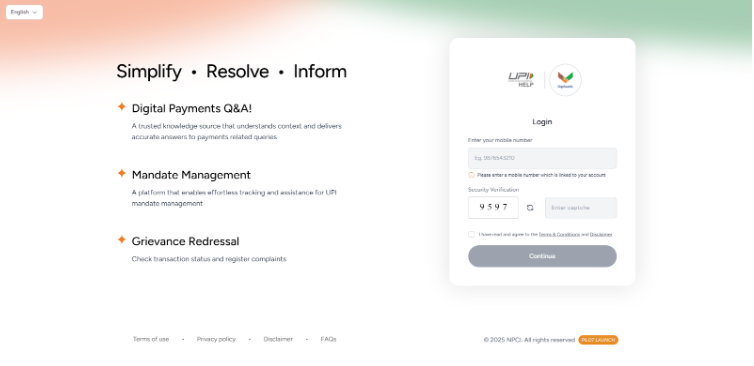
Submit a complaint through NPCI’s official portal at npci.org.in when both app and bank routes fail to resolve.
Step 4: Legal/Police Complaint (For Fraud Cases)
Register an FIR at your local cyber cell or police station if the wrong payment involves fraud or scam.
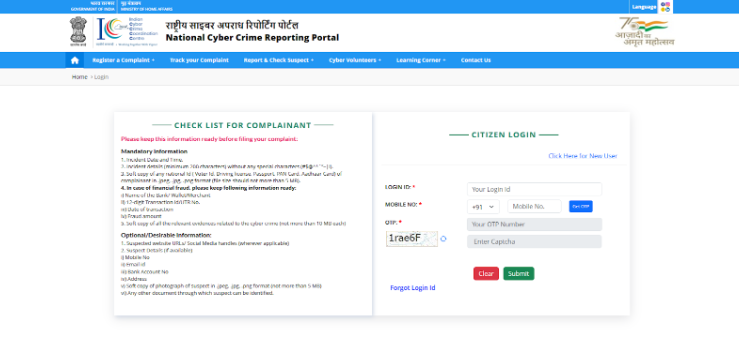
Here’s a breakdown of what actually works when recovering wrong payments and how long each method takes:
| Method | Success Rate | Timeline | When to Use | Limitation |
|---|---|---|---|---|
| In-app support request | Medium (40-60%) | 2-7 days | First attempt, genuine mistakes | The receiver must cooperate |
| Bank complaint | Medium (30-50%) | 5-10 days | If app support fails | No forced reversal |
| NPCI complaint | Low-Medium (20-40%) | 7-15 days | Both above failed | Only facilitates, doesn’t mandate |
| Police/Cyber complaint | Low (10-30%) | 30+ days | Proven fraud/scam | Slow process, needs evidence |
Speed matters in these situations, and you need to file your complaint within 24 hours for the best chance of recovery. Banks treat early reports more seriously than delayed ones.
What Information Does A UPI ID Actually Reveal?
UPI IDs reveal limited information by design, and only at specific moments during a transaction.
Before you confirm payment, the app shows you critical details to prevent mistakes:
- Name displayed on payment confirmation screen (before sending).
- Bank name or UPI handle visible (like @paytm, @ybl).
- Masked or partial details shown for security.
- Account numbers, addresses, and phone numbers remain completely hidden.
- Information appears pre-transaction for verification, not post-transaction.
The confirmation screen is your safety checkpoint. Always verify the displayed name matches your intended recipient; this simple habit prevents most wrong payments.
How to Protect Your Own Phone Number from UPI ID
To keep your mobile number private, change your UPI ID from a number to a custom name.

Follow these steps to strengthen your UPI privacy:
- Create a custom VPA like yourname@bankname instead of digits.
- Don’t use a phone number as your primary UPI ID.
- Change your UPI ID in Google Pay, PhonePe, or Paytm through settings.
- Follow NPCI privacy guidelines that recommend personalized identifiers over contact details.
Most major apps let you create multiple VPAs. Set your default to a name-based ID. This prevents strangers from collecting your number through transaction history or payment requests.
UPI Payment New Rules, introduced in 2025, give users greater control over visibility settings and data-sharing preferences.
Related Read:
Conclusion: Phone Numbers Cannot Be Extracted From UPI IDs By Design
Phone numbers aren’t extractable from UPI IDs by design. The system protects privacy through technical and regulatory safeguards.
For wrong payments, act immediately through official channels rather than trying to contact recipients directly.
Always verify the displayed name on the confirmation screen before hitting send. One moment of attention saves hours of recovery effort.
FAQs
Only if your UPI ID is formatted as a phone number like 123456780@paytm, otherwise, the number remains completely hidden by NPCI.
Yes, the recipient’s registered name appears on the payment confirmation screen before you complete any transaction through your UPI app.
UPI IDs don’t reveal location, address, or real-time tracking data due to strict privacy protections enforced by banking regulations.
*99# is a USSD service from NPCI that enables mobile banking operations like fund transfers and balance checks without requiring internet access.
Transaction IDs don’t contain or reveal mobile numbers. Contact your bank’s customer support for transaction disputes, not personal contact information.